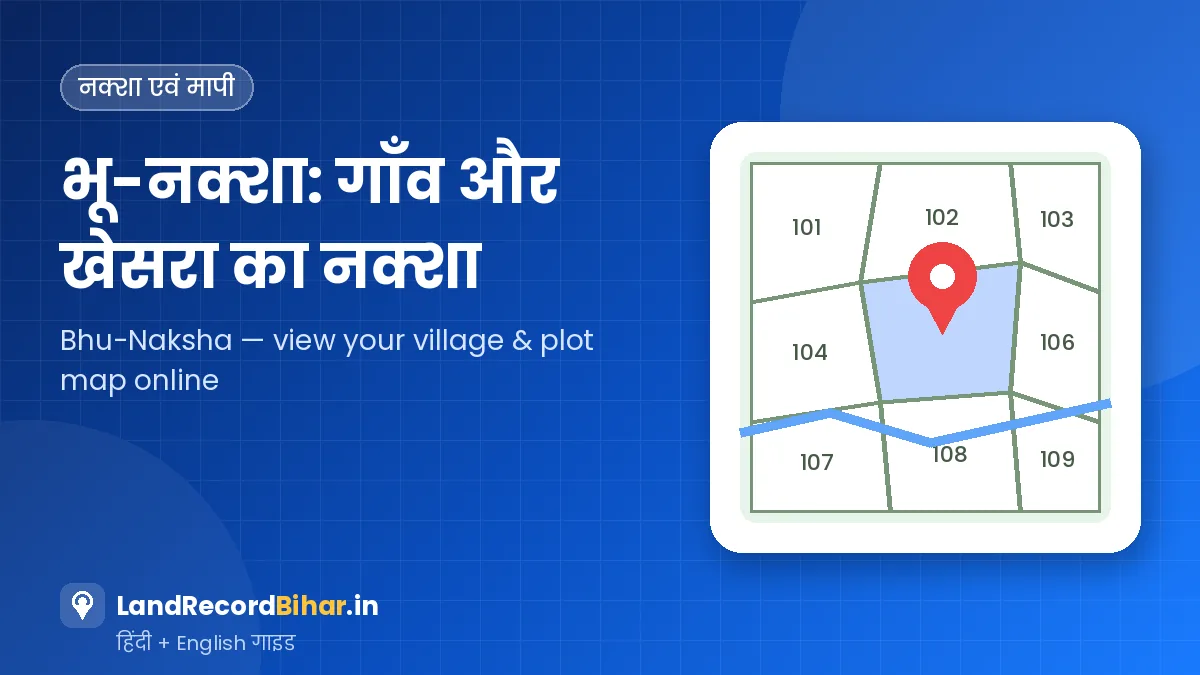
जमाबंदी बताती है कि जमीन किसके नाम है, लेकिन जमीन कहाँ है — इसका जवाब नक्शा देता है। बिहार के राजस्व नक्शे (कैडस्ट्रल मैप) अब भू-नक्शा पोर्टल पर ऑनलाइन उपलब्ध हैं, जहाँ आप अपने मौजा का नक्शा खोलकर किसी भी खेसरा (प्लॉट) की स्थिति, आकार और पड़ोसी प्लॉट देख सकते हैं। इस गाइड में भू-नक्शा चलाने का सही तरीका, प्लॉट रिपोर्ट, छपा नक्शा घर मँगवाने की सुविधा और मोबाइल पर काम आने वाली टिप्स दी गई हैं।
भू-नक्शा क्यों देखें
- जमीन खरीदने से पहले प्लॉट की सही जगह और आकार जानने के लिए।
- चौहद्दी — यानी चारों तरफ़ के खेसरा — की पुष्टि करने के लिए।
- सड़क, नदी, नहर या सरकारी जमीन से दूरी समझने के लिए।
- मापी (ई-मापी) से पहले यह जानने के लिए कि प्लॉट किस शीट पर है।
- बँटवारे या सीमा विवाद में प्रारंभिक जानकारी के लिए।
भू-नक्शा पर नक्शा कैसे खोलें
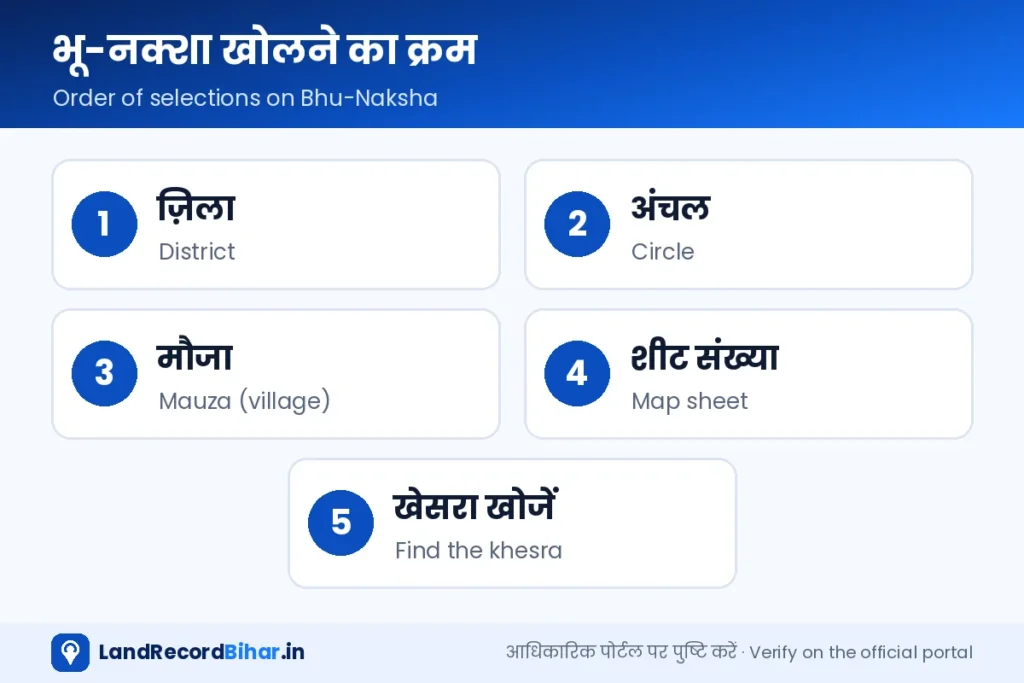
- पोर्टल खोलें: bhunaksha.bihar.gov.in खोलें या नीचे के बटन से जाएँ।
- स्थान चुनें: बाएँ पैनल में क्रम से ज़िला, अनुमंडल/अंचल और मौजा चुनें। कुछ मौजाओं में सर्वे का प्रकार भी चुनना होता है।
- शीट चुनें: बड़े मौजा का नक्शा कई शीट में बँटा होता है। अपने खेसरा वाली शीट चुनें; पता न हो तो एक-एक करके देखें या खेसरा खोज का विकल्प इस्तेमाल करें।
- खेसरा खोजें: नक्शा लोड होने पर खोज बॉक्स में खेसरा संख्या डालें या ज़ूम करके प्लॉट पर क्लिक करें।
- प्लॉट की जानकारी: क्लिक करने पर खेसरा संख्या, रकबा और उपलब्ध विवरण दिखता है। ज़रूरत हो तो प्लॉट रिपोर्ट/प्रिंट निकालें।
भू-नक्शा खोलें ↗ डैशबोर्ड पर सेवा
नक्शा भारी होता है। मोबाइल ब्राउज़र के मेन्यू में “डेस्कटॉप साइट” चालू करें, फ़ोन को आड़ा (landscape) रखें और अच्छे नेटवर्क पर खोलें। फिर भी दिक्कत हो तो कंप्यूटर पर खोलें।
नक्शा पढ़ना: किन बातों पर ध्यान दें
| नक्शे पर | मतलब |
|---|---|
| बंद आकृति में लिखी संख्या | खेसरा (प्लॉट) संख्या |
| मोटी बाहरी रेखा | मौजा की सीमा |
| दोहरी रेखाएँ | आमतौर पर रास्ता/सड़क |
| लहरदार/नीली रेखाएँ | नदी, नहर या नाला |
| शीट संख्या | नक्शे का वह हिस्सा जिसमें प्लॉट है |
चिह्न और रंग अलग-अलग नक्शों में थोड़े भिन्न हो सकते हैं। नक्शे के किनारे दी गई लीजेंड (संकेत) ज़रूर देखें।
ऑनलाइन नक्शा पुराने सर्वे पर आधारित है और मौके की स्थिति से अलग हो सकता है। सटीक सीमा तय करने के लिए सरकारी अमीन से ई-मापी कराएँ।
छपा हुआ नक्शा घर मँगवाएँ
भू-अभिलेख एवं परिमाप निदेशालय की राजस्व मानचित्रों की डोर-स्टेप डिलीवरी सेवा से आप अपने मौजा की शीट का छपा नक्शा ऑनलाइन ऑर्डर कर सकते हैं:
- मानचित्र वितरण पोर्टल पर पंजीकरण करें।
- ज़िला, अंचल, मौजा और शीट संख्या चुनें।
- डिलीवरी का पता भरें और पोर्टल पर दिख रहा शुल्क चुकाएँ।
- ऑर्डर की स्थिति ट्रैक करें।
नक्शा और जमाबंदी को साथ मिलाएँ
प्लॉट का नक्शा देखने के बाद उसी खेसरा की जमाबंदी खोलें और रकबा मिलाएँ। अगर नक्शे और जमाबंदी के रकबे में बड़ा अंतर है, तो मापी कराएँ और ज़रूरत हो तो परिमार्जन से सुधार माँगें। रकबे को बीघा-कट्ठा में समझने के लिए हमारा माप कन्वर्टर इस्तेमाल करें।
अक्सर पूछे जाने वाले प्रश्न
मेरा मौजा भू-नक्शा पर नहीं दिख रहा?
सभी मौजाओं के नक्शे एक साथ ऑनलाइन नहीं हुए हैं; कई जगह काम जारी है। अपने अंचल या भू-अभिलेख एवं परिमाप निदेशालय की वेबसाइट पर जानकारी लें।
क्या भू-नक्शा पर मालिक का नाम दिखता है?
प्लॉट पर क्लिक करने पर जो जानकारी उपलब्ध है वह दिखती है। मालिक की ताज़ा जानकारी के लिए जमाबंदी पंजी ही सही स्रोत है।
विशेष सर्वे के बाद नक्शा बदलेगा?
बिहार में चल रहे विशेष भूमि सर्वेक्षण के बाद नए नक्शे और अधिकार-अभिलेख तैयार होते हैं। सर्वे से जुड़ी सेवाएँ भू-अभिलेख एवं परिमाप निदेशालय के पोर्टल पर हैं।
निष्कर्ष: भू-नक्शा जमीन की “जगह” का सबसे तेज़ ऑनलाइन प्रमाण है। ज़िला-अंचल-मौजा-शीट के क्रम में चलें, खेसरा खोजें, जमाबंदी से रकबा मिलाएँ — और सीमा तय करनी हो तो ई-मापी कराएँ।
The jamabandi tells you whose name the land is in, but the map tells you where it is. Bihar’s revenue (cadastral) maps are now online on the Bhu-Naksha portal, where you can open your mauza’s map and see any khesra’s position, shape and neighbouring plots. This guide covers using Bhu-Naksha, plot reports, ordering a printed map home and tips for mobile.
Why look at Bhu-Naksha
- To know a plot’s exact location and shape before buying.
- To confirm boundaries — the khesras on all four sides.
- To understand distance from roads, rivers, canals or government land.
- To know the sheet number before an e-Mapi measurement.
- For first-hand information in partition or boundary disputes.
How to open a map on Bhu-Naksha
- Open the portal: bhunaksha.bihar.gov.in or the button below.
- Choose location: in the left panel pick district, sub-division/circle and mauza; some mauzas also ask for the survey type.
- Pick the sheet: large mauzas are split into several sheets. Choose the one with your khesra, or check each / use plot search.
- Find the khesra: type the khesra number in search, or zoom in and click the plot.
- Plot details: see khesra number, area and available details; generate a plot report or print if needed.
Open Bhu-Naksha ↗ On the dashboard
Maps are heavy. Turn on “Desktop site” in your browser menu, hold the phone in landscape and use a good connection — or open it on a computer.
Reading the map
| On the map | Meaning |
|---|---|
| Number inside a closed shape | Khesra (plot) number |
| Thick outer line | Mauza boundary |
| Double lines | Usually a path/road |
| Wavy/blue lines | River, canal or drain |
| Sheet number | The part of the map holding the plot |
Symbols and colours vary between maps — always read the legend at the edge.
The online map is based on old surveys and can differ from the ground. For exact boundaries, get an e-Mapi measurement by a government amin.
Order a printed map home
- Register on the map delivery portal of the Directorate of Land Records & Survey.
- Choose district, circle, mauza and sheet number.
- Enter the delivery address and pay the fee shown.
- Track the order.
Match the map with the jamabandi
After viewing the plot, open the jamabandi for that khesra and compare the area. A large mismatch calls for a measurement and, if needed, a Parimarjan correction. Convert areas to bigha-katha with our unit converter.
FAQs
My mauza isn’t on Bhu-Naksha.
Not every mauza’s map is online yet; work continues in many areas. Ask your circle or check the Directorate of Land Records & Survey website.
Does Bhu-Naksha show the owner?
Clicking a plot shows whatever details are available. For the current owner, the jamabandi register is the right source.
Will maps change after the special survey?
Bihar’s ongoing special land survey produces new maps and records of rights; survey services are on the Directorate’s portal.
Bottom line: Bhu-Naksha is the quickest online proof of where land is. Follow district-circle-mauza-sheet, find the khesra, match the area with the jamabandi — and get an e-Mapi when you need exact boundaries.