बिहार में लाखों जमाबंदियाँ कागज़ के रजिस्टर से कंप्यूटर में चढ़ाई गईं। इस बड़े काम में कहीं नाम की वर्तनी बदल गई, कहीं रकबा गलत टाइप हो गया, कहीं खेसरा छूट गया और कई जमाबंदियाँ तो ऑनलाइन चढ़ी ही नहीं। इन गलतियों को सुधारने के लिए राजस्व एवं भूमि सुधार विभाग ने परिमार्जन प्लस पोर्टल बनाया है। इस गाइड में जानिए कि किस गलती के लिए परिमार्जन होता है, आवेदन कैसे करें, कौन-से दस्तावेज़ लगाएँ और कितने दिन लगते हैं।
परिमार्जन प्लस से कौन-सी गलतियाँ सुधरती हैं
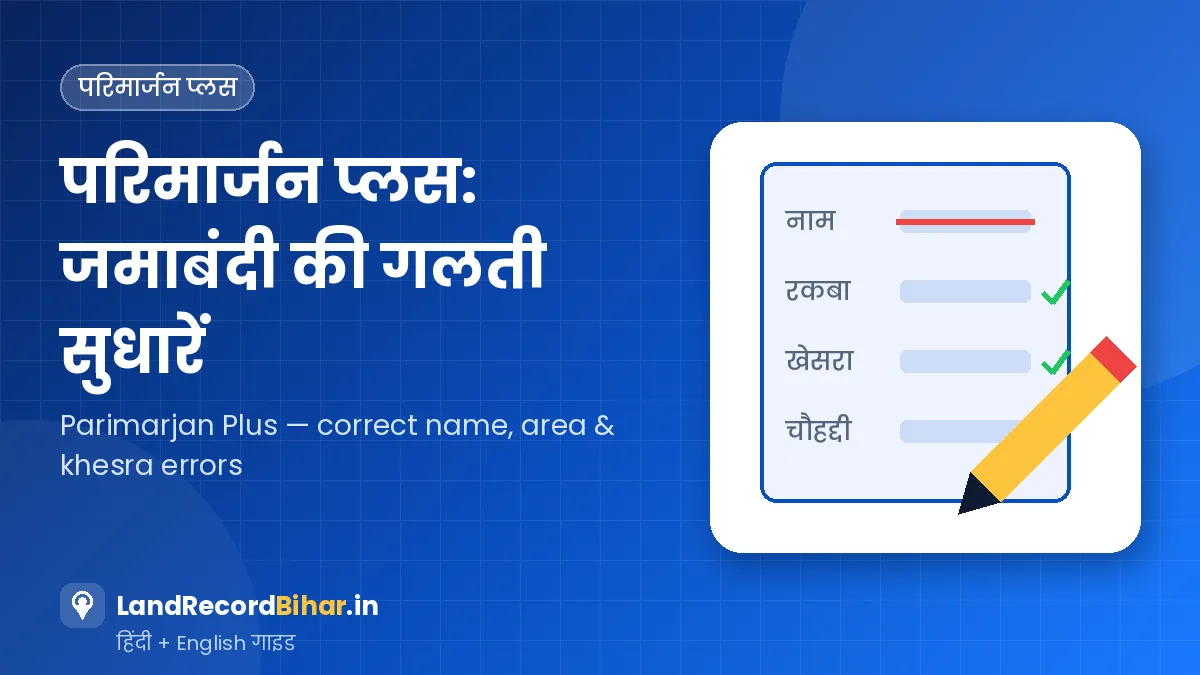
- रैयत का नाम, पिता/पति का नाम या पता गलत
- खाता संख्या या खेसरा संख्या गलत
- रकबा (क्षेत्रफल) गलत
- चौहद्दी गलत
- लगान/सेस की राशि गलत
- खेसरा छूट जाना या गलत जुड़ जाना
- छूटी हुई जमाबंदी: जो जमाबंदी कागज़ पर है लेकिन ऑनलाइन चढ़ी ही नहीं, उसका डिजिटाइजेशन
परिमार्जन रिकॉर्ड की गलती सुधारने के लिए है, किसी दूसरे का नाम हटाकर अपना नाम जुड़वाने के लिए नहीं। जमीन खरीदने या उत्तराधिकार के बाद नाम बदलवाने के लिए दाखिल-खारिज करना होता है। और ऑनलाइन दाखिल-खारिज से हुई गलती आमतौर पर DCLR न्यायालय में अपील से ठीक होती है।
सुधार की समय-सीमा
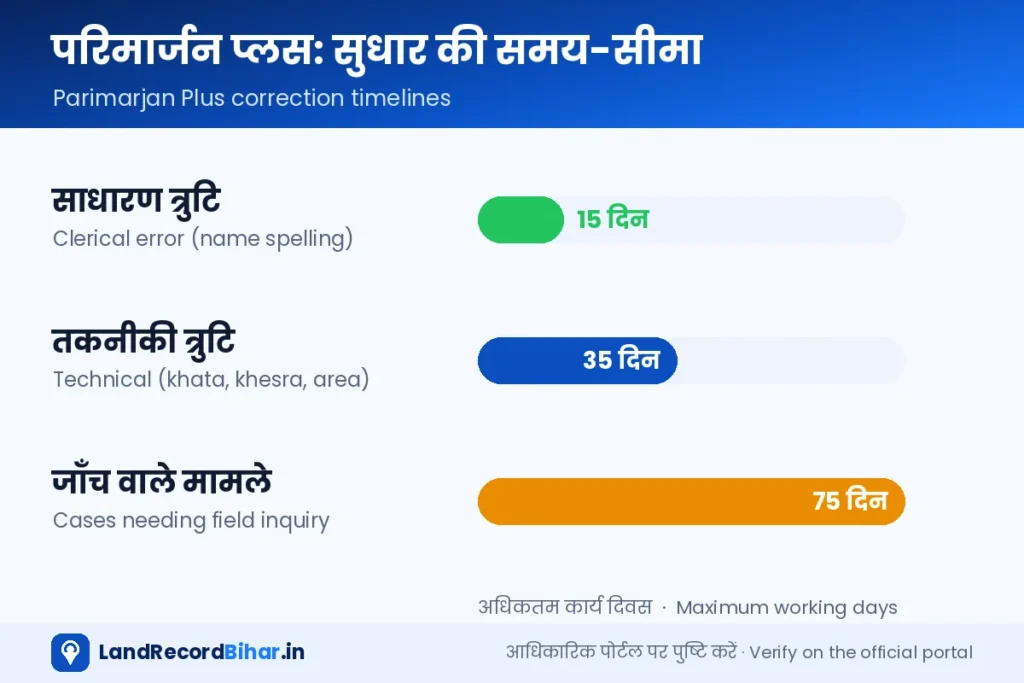
मार्च 2026 में विभाग ने परिमार्जन प्लस के आवेदनों के निपटारे की तय समय-सीमा घोषित की:
| त्रुटि का प्रकार | उदाहरण | अधिकतम समय |
|---|---|---|
| साधारण / लिपिकीय त्रुटि | रैयत या पिता के नाम की वर्तनी | 15 कार्य दिवस |
| तकनीकी त्रुटि | खाता, खेसरा, लगान, रकबा आदि में अंतर | 35 कार्य दिवस |
| विशेष/जटिल मामले | जिनमें स्थल जाँच या विस्तृत प्रशासनिक जाँच ज़रूरी हो | 75 कार्य दिवस |
आवेदन से पहले की तैयारी
- जमाबंदी पंजी खोलकर गलत विवरण का स्क्रीनशॉट लें और जमाबंदी संख्या, भाग-पृष्ठ नोट करें।
- सही जानकारी का प्रमाण इकट्ठा करें: खतियान, केवाला, पुरानी हाथ से कटी लगान रसीदें, शुद्धि पत्र या न्यायालय का आदेश।
- आधार कार्ड और सक्रिय मोबाइल नंबर।
- सभी दस्तावेज़ों की साफ़ स्कैन प्रति (PDF/JPG)।
परिमार्जन प्लस पर आवेदन — चरण-दर-चरण
- पोर्टल खोलें और पंजीकरण करें: परिमार्जन प्लस पर मोबाइल नंबर से पंजीकरण करें और लॉगिन करें।
- आवेदन का प्रकार चुनें: “डिजिटाइज़्ड जमाबंदी में सुधार” या “छूटी जमाबंदी का ऑनलाइन करना” — जो लागू हो।
- स्थान चुनें: ज़िला, अंचल, हल्का और मौजा चुनें, फिर अपनी जमाबंदी खोजें।
- सही विवरण भरें: जिस फ़ील्ड में गलती है, वहाँ सही जानकारी भरें। जितनी गलतियाँ हों, सब एक साथ बताएँ।
- प्रमाण अपलोड करें: हर सुधार के समर्थन में दस्तावेज़ लगाएँ।
- जमा करें: आवेदन संख्या सुरक्षित रखें और SMS पर नज़र रखें।
परिमार्जन प्लस खोलें ↗ आवेदन की स्थिति ↗
आवेदन वापस हो गया तो
अगर अंचलाधिकारी ने किसी कमी के कारण आवेदन लौटाया है, तो “परिमार्जन प्लस आवेदन स्थिति देखें (अंचलाधिकारी द्वारा वापस किया गया)” पेज पर कारण देखें, लॉगिन करके कमी दूर करें और दोबारा जमा करें। सबसे आम कारण धुंधला या अधूरा दस्तावेज़ और गलत जमाबंदी चुनना है।
राजस्व महा-अभियान के आवेदन
विभाग समय-समय पर गाँव-गाँव शिविर लगाकर राजस्व महा-अभियान चलाता है, जिसमें जमाबंदी सुधार, उत्तराधिकार और बँटवारे से जुड़े आवेदन लिए जाते हैं। अगर आपने शिविर में आवेदन दिया था, तो उसकी स्थिति परिमार्जन प्लस के “राजस्व महा-अभियान आवेदन की स्थिति” पेज पर पावती संख्या से देखी जा सकती है।
अगर जमाबंदी में रकबा या नाम गलत है, तो बिक्री के बाद खरीदार का दाखिल-खारिज अटक सकता है। सौदे से पहले ही परिमार्जन कराएँ और सुधार ऑनलाइन जमाबंदी में दिखने के बाद ही रजिस्ट्री करें।
अक्सर पूछे जाने वाले प्रश्न
क्या परिमार्जन का कोई शुल्क है?
नियम बदल सकते हैं, इसलिए आवेदन के समय पोर्टल पर दिखाई गई जानकारी ही मानें।
स्वीकृति के बाद बदलाव कहाँ दिखेगा?
ऑनलाइन जमाबंदी पंजी में। स्वीकृति के बाद जमाबंदी ज़रूर जाँच लें कि सुधार सही दर्ज हुआ है।
एक ही आवेदन में कई गलतियाँ ठीक हो सकती हैं?
हाँ, जिस जमाबंदी में कई फ़ील्ड गलत हैं, उन्हें एक आवेदन में बताया जा सकता है।
परिवार के सदस्य के लिए आवेदन कर सकते हैं?
आवेदन में रैयत का सही विवरण और प्रमाण होना चाहिए। मृत रैयत की जमीन वारिसों के नाम करने के लिए परिमार्जन नहीं, उत्तराधिकार का दाखिल-खारिज होता है।
निष्कर्ष: गलत जमाबंदी आगे चलकर एलपीसी, बिक्री और ऋण — सब रोक देती है। परिमार्जन प्लस पर प्रमाण के साथ आवेदन करें, आवेदन संख्या से स्थिति देखें और सुधार जमाबंदी में दिखने तक पीछा न छोड़ें।
Lakhs of Bihar jamabandis were keyed in from paper registers. In that massive exercise names were misspelt, areas mistyped, khesras dropped — and many jamabandis never made it online. The Revenue & Land Reforms Department built the Parimarjan Plus portal to fix these errors. This guide explains what Parimarjan covers, how to apply, which documents to attach and how long it takes.
What Parimarjan Plus can correct
- Raiyat’s name, father’s/husband’s name or address
- Khata or khesra number
- Area (rakba)
- Boundaries (chauhaddi)
- Rent/cess amount
- Missing or wrongly added khesras
- Missing jamabandi: digitising a jamabandi that exists on paper but not online
It corrects record errors; it does not replace someone else’s name with yours. A change of owner after purchase or inheritance needs mutation, and errors from an online mutation are usually fixed by appeal before the DCLR.
Correction timelines
In March 2026 the department announced fixed disposal timelines for Parimarjan Plus applications:
| Error type | Example | Maximum time |
|---|---|---|
| Minor / clerical | Spelling of raiyat’s or father’s name | 15 working days |
| Technical | Khata, khesra, rent, area discrepancies | 35 working days |
| Special / complex | Cases needing field verification or detailed inquiry | 75 working days |
Prepare before applying
- Open the jamabandi register, screenshot the wrong entry and note the jamabandi number and volume-page.
- Collect proof of the correct details: khatiyan, sale deed, old handwritten rent receipts, correction slip or court order.
- Aadhaar and an active mobile number.
- Clear scans of all documents (PDF/JPG).
Applying on Parimarjan Plus — step by step
- Open the portal and register: register with your mobile and log in.
- Pick the application type: “correction in digitised jamabandi” or “bring a missing jamabandi online”.
- Choose location: district, circle, halka and mauza, then find your jamabandi.
- Enter correct details: fill the right value for each wrong field — list all errors together.
- Upload proof: attach documents supporting each correction.
- Submit: save the application number and watch for SMS updates.
Open Parimarjan Plus ↗ Application status ↗
If the application is returned
If the Circle Officer returned it for a defect, open “Parimarjan Plus status (returned by Circle Officer)”, read the reason, log in, fix it and resubmit. Blurry or incomplete documents and choosing the wrong jamabandi are the usual culprits.
Revenue Maha-Abhiyan applications
The department periodically runs the Revenue Maha-Abhiyan with village camps that accept jamabandi corrections, succession and partition applications. If you applied at a camp, track it with your receipt number on Parimarjan Plus’s “Revenue Maha-Abhiyan application status” page.
A wrong area or name in the jamabandi can stall the buyer’s mutation later. Get Parimarjan done before the deal, and register only after the correction shows in the online jamabandi.
FAQs
Is there a fee?
Rules can change — go by what the portal shows when you apply.
Where will the change appear?
In the online jamabandi register. Check it after approval to make sure the correction was recorded correctly.
Can several errors be fixed in one application?
Yes, list every wrong field of that jamabandi in the same application.
Can I apply for a family member?
The application must carry the raiyat’s correct details and proof. Transferring a deceased raiyat’s land to heirs is done by inheritance mutation, not Parimarjan.
Bottom line: a wrong jamabandi eventually blocks LPCs, sales and loans. Apply on Parimarjan Plus with proof, track with your application number and follow up until the correction appears in the jamabandi.