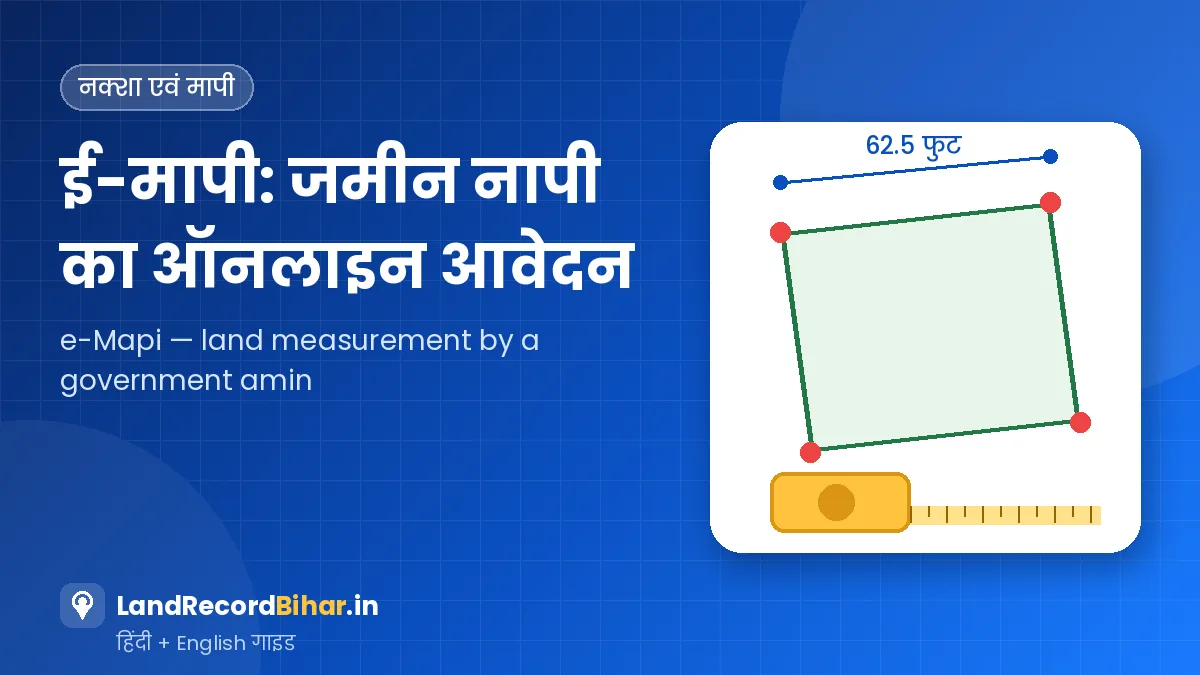
सीमा विवाद हो, बँटवारा हो या नई जमीन खरीदी हो — जमीन की सही मापी (नापी) सबसे भरोसेमंद रास्ता है। बिहार में अब सरकारी अमीन से मापी कराने के लिए अंचल के चक्कर लगाने की ज़रूरत नहीं; ई-मापी पोर्टल पर ऑनलाइन आवेदन, ऑनलाइन शुल्क भुगतान और मापी की तारीख की सूचना मिलती है। हाल में राज्य सरकार ने मापी शुल्क भी बदला है। इस गाइड में आवेदन की प्रक्रिया, सामान्य और तत्काल मापी का अंतर, नया शुल्क और मापी के दिन की तैयारी समझिए।
ई-मापी कब कराएँ
- पड़ोसी से मेड़/सीमा को लेकर विवाद हो।
- परिवार में जमीन का बँटवारा करना हो।
- नई जमीन खरीदने के बाद कब्जा और सीमा पक्की करनी हो।
- भवन निर्माण या चहारदीवारी से पहले सही रेखा जाननी हो।
- कोर्ट या अंचल में मापी रिपोर्ट की ज़रूरत हो।
मापी शुल्क (नई दरें)
राज्य कैबिनेट के हालिया फ़ैसले के बाद शहरी और ग्रामीण दोनों क्षेत्रों में मापी शुल्क लगभग दोगुना कर दिया गया है। पहले शहरी क्षेत्र में ₹1,000 और ग्रामीण क्षेत्र में ₹500 प्रति खेसरा लगता था।
| मापी का प्रकार | शहरी (नगर निगम/परिषद/पंचायत) | ग्रामीण |
|---|---|---|
| तत्काल मापी | ₹4,000 प्रति खेसरा (अधिकतम ₹16,000) | ₹2,000 प्रति खेसरा (अधिकतम ₹8,000) |
| सामान्य मापी | लगभग दोगुना (पहले ₹1,000 प्रति खेसरा) | लगभग दोगुना (पहले ₹500 प्रति खेसरा) |
भुगतान से पहले ई-मापी पोर्टल पर दिख रही राशि ही अंतिम मानें। अपने खेसरों की संख्या के हिसाब से अनुमान लगाने के लिए हमारा ई-मापी शुल्क कैलकुलेटर इस्तेमाल करें — उसमें दरें बदलने का विकल्प भी है।
ई-मापी के लिए ऑनलाइन आवेदन — चरण-दर-चरण
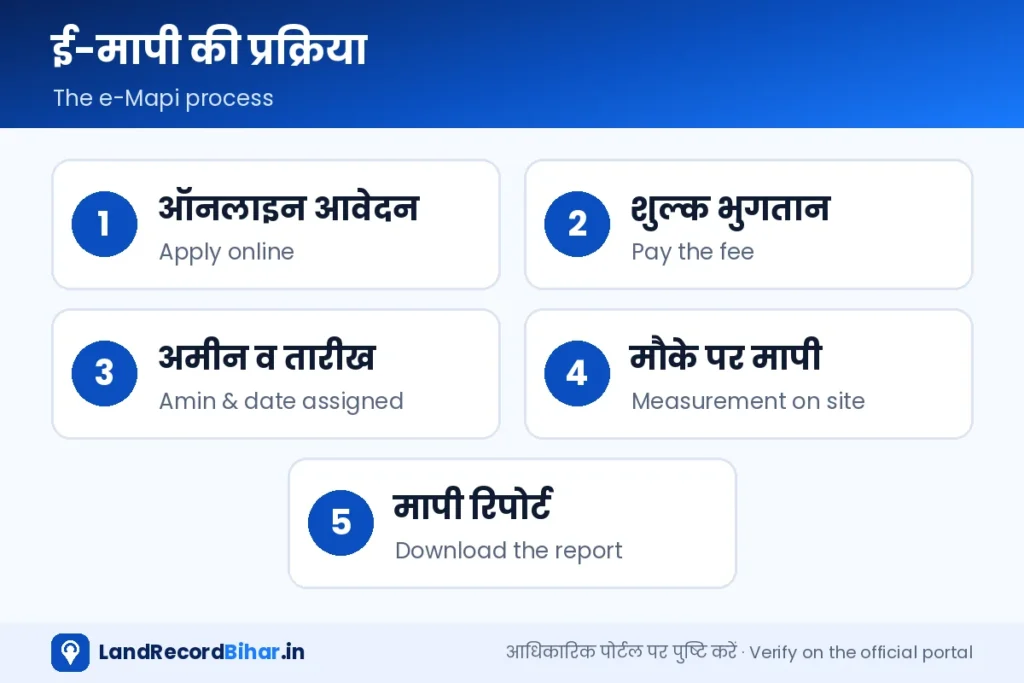
- पंजीकरण/लॉगिन: ई-मापी पोर्टल खोलें और मोबाइल नंबर व OTP से लॉगिन करें।
- जमीन का विवरण: ज़िला, अंचल, मौजा, खाता और खेसरा भरें। एक से अधिक खेसरा हों तो सब जोड़ें।
- मापी का प्रकार चुनें: सामान्य या तत्काल, और क्षेत्र (शहरी/ग्रामीण)।
- दस्तावेज़ अपलोड करें: जमाबंदी या केवाले की प्रति और माँगे गए अन्य कागज़।
- शुल्क का भुगतान: पोर्टल पर दिखी राशि ऑनलाइन चुकाएँ और रसीद सँभालें।
- अमीन और तारीख: आवेदन स्वीकार होने पर अमीन और मापी की तारीख की सूचना SMS/पोर्टल पर मिलती है।
- मापी और रिपोर्ट: तय दिन मापी होती है और बाद में मापी रिपोर्ट पोर्टल से डाउनलोड की जा सकती है।
ई-मापी पोर्टल खोलें ↗ डैशबोर्ड पर सेवा
मापी के दिन की तैयारी
- चौहद्दीदारों (पड़ोसी जमीन वालों) को पहले से सूचना दें, ताकि वे मौके पर रहें।
- केवाला, जमाबंदी, खतियान और नक्शे की प्रति साथ रखें।
- मेड़ और पुराने निशान (खूँटा, पत्थर) साफ़ दिखें, ऐसी व्यवस्था करें।
- अमीन को केवल पोर्टल पर तय शुल्क ही दिया जाता है — अलग से कोई भुगतान न करें। कोई माँग हो तो शिकायत करें।
- मापी के बाद सीमा पर निशान लगवाएँ और रिपोर्ट की प्रति ज़रूर डाउनलोड करें।
अमीन राजस्व नक्शे और रिकॉर्ड के आधार पर मौके पर मापी करते हैं। विभाग ने लंबित मामलों को तेज़ी से निपटाने के लिए कम आवेदन वाले अंचलों के अमीनों को ज़्यादा आवेदन वाले अंचलों में लगाने जैसे कदम भी उठाए हैं।
सामान्य बनाम तत्काल — कौन-सा चुनें
| स्थिति | सुझाव |
|---|---|
| कोई जल्दी नहीं, सिर्फ़ सीमा पक्की करनी है | सामान्य मापी |
| निर्माण शुरू होना है या कोर्ट की तारीख नज़दीक है | तत्काल मापी |
| कई खेसरा एक साथ | तत्काल में अधिकतम सीमा का लाभ देखें |
अक्सर पूछे जाने वाले प्रश्न
क्या दूसरे की जमीन की मापी के लिए आवेदन कर सकते हैं?
मापी आमतौर पर जमीन के रैयत/हितधारक के आवेदन पर होती है। सीमा विवाद में आपकी अपनी जमीन की मापी से पड़ोसी की सीमा भी स्पष्ट हो जाती है।
मापी रिपोर्ट से विवाद खत्म हो जाता है?
सरकारी मापी रिपोर्ट मज़बूत आधार है, लेकिन अगर कोई पक्ष असहमत है तो उसे राजस्व न्यायालय या सक्षम प्राधिकारी के पास जाना होता है।
भुगतान के बाद आवेदन रद्द हो जाए तो?
रिफ़ंड से जुड़े नियम पोर्टल पर देखें या तकनीकी टिकट/जन शिकायत के ज़रिए जानकारी लें।
निष्कर्ष: ई-मापी ने सरकारी नापी को पारदर्शी बना दिया है — आवेदन, शुल्क और तारीख सब ऑनलाइन। शुल्क का पहले से अनुमान लगाएँ, कागज़ात तैयार रखें, पड़ोसियों को सूचित करें और रिपोर्ट ज़रूर सँभालें।
Boundary dispute, family partition or a new purchase — an accurate measurement (mapi) is the most reliable answer. In Bihar you no longer need to chase the circle office for a government amin: the e-Mapi portal takes online applications and fees and tells you the measurement date. The state also revised measurement fees recently. This guide covers the process, normal vs tatkal, the new fees and how to prepare for the day.
When to get an e-Mapi
- A boundary dispute with a neighbour.
- Partitioning family land.
- Confirming possession and boundaries after buying.
- Knowing the exact line before construction or a boundary wall.
- A measurement report needed by a court or the circle.
Measurement fees (revised)
After a recent state cabinet decision, measurement fees were roughly doubled in both urban and rural areas. Earlier the fee was ₹1,000 per khesra in urban areas and ₹500 in rural areas.
| Type | Urban (municipal areas) | Rural |
|---|---|---|
| Tatkal | ₹4,000 per khesra (max ₹16,000) | ₹2,000 per khesra (max ₹8,000) |
| Normal | About double (earlier ₹1,000 per khesra) | About double (earlier ₹500 per khesra) |
Treat the amount shown on the e-Mapi portal as final before paying. Estimate your fee by number of khesras with our e-Mapi fee calculator, which also lets you edit the rates.
Apply online — step by step
- Register/log in: open the e-Mapi portal and log in with mobile and OTP.
- Land details: district, circle, mauza, khata and khesra — add every khesra.
- Choose type: normal or tatkal, and area (urban/rural).
- Upload documents: copy of jamabandi or deed and anything else requested.
- Pay the fee: pay the amount shown online and keep the receipt.
- Amin and date: once accepted, you’re told the amin and date by SMS/portal.
- Measurement and report: the measurement happens on the set day; the report can later be downloaded from the portal.
Open e-Mapi portal ↗ On the dashboard
Preparing for measurement day
- Tell your neighbours (boundary holders) in advance so they are present.
- Carry copies of the deed, jamabandi, khatiyan and the map.
- Make sure ridges and old markers (stakes, stones) are visible.
- Only the fee set on the portal is payable — don’t pay the amin anything extra; complain if asked.
- Get boundary markers fixed afterwards and download the report.
The amin measures on site based on the revenue map and records. To clear backlogs, the department has also moved amins from low-demand circles to high-demand ones.
Normal vs tatkal — which to choose
| Situation | Suggestion |
|---|---|
| No hurry, just confirming boundaries | Normal |
| Construction starting or a court date is near | Tatkal |
| Many khesras at once | Check the tatkal maximum cap |
FAQs
Can I apply to measure someone else’s land?
Measurement is generally on the application of the raiyat/stakeholder. In a boundary dispute, measuring your own land also settles the neighbour’s line.
Does the report end the dispute?
A government report is a strong basis, but a party who disagrees must approach the revenue court or competent authority.
Application cancelled after payment?
Check refund rules on the portal or ask through a technical ticket/grievance.
Bottom line: e-Mapi has made government measurement transparent — application, fee and date are all online. Estimate the fee, keep papers ready, inform neighbours and keep the report.