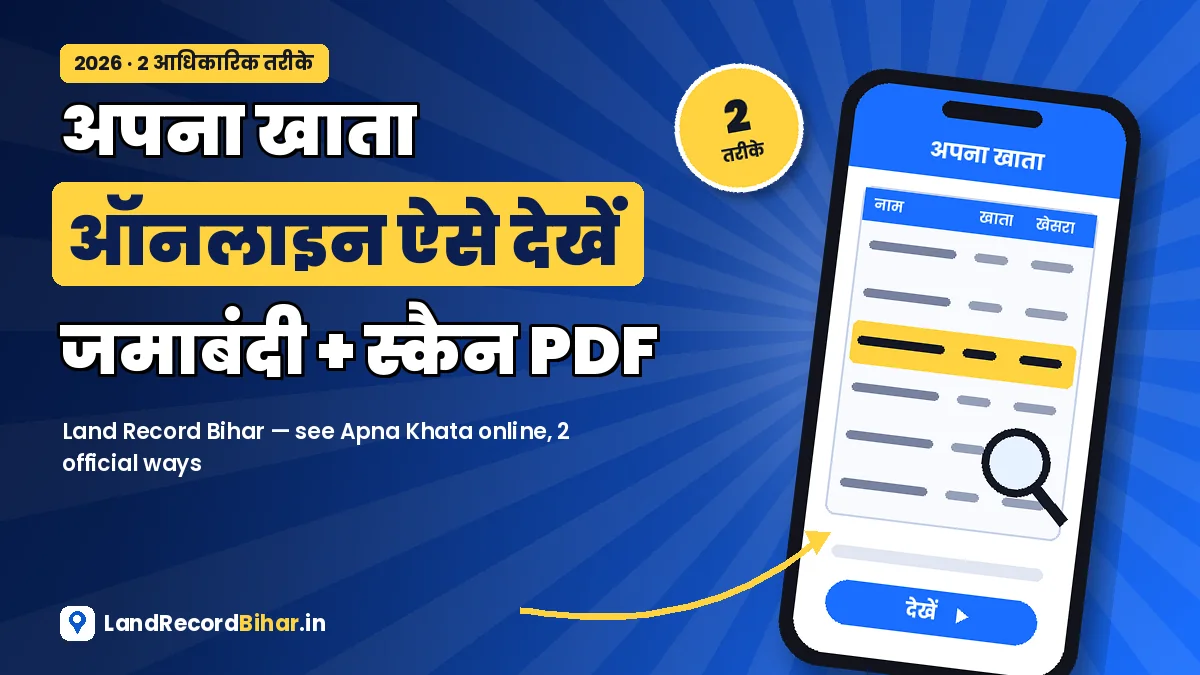
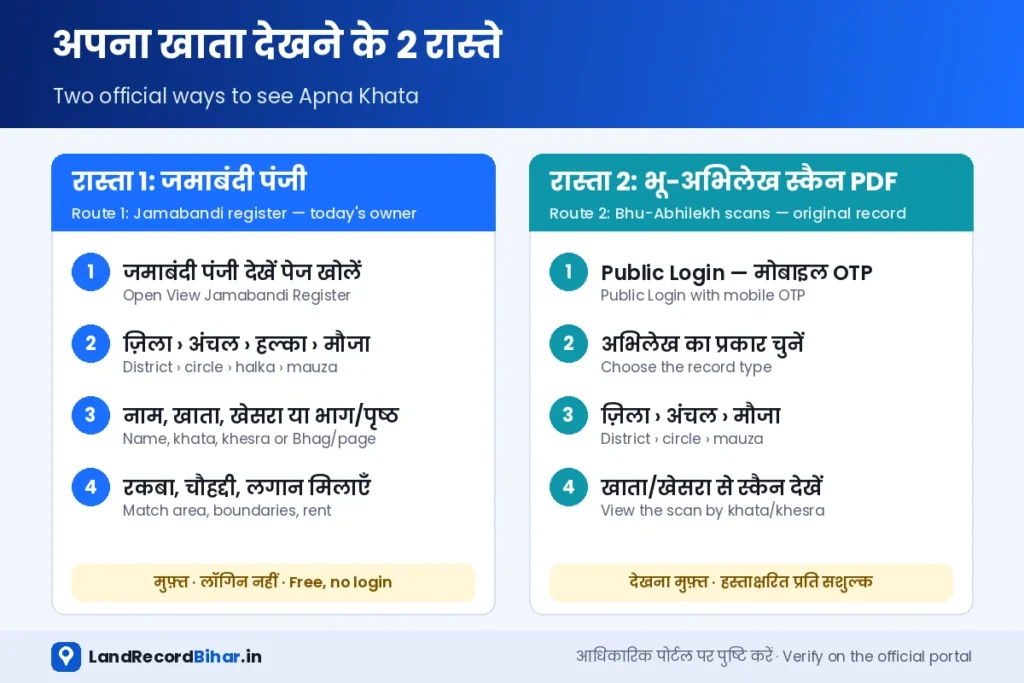
“अपना खाता देखें” बिहार में ज़मीन से जुड़ी सबसे ज़्यादा खोजी जाने वाली सेवा है। इसका सीधा मतलब है — आपकी ज़मीन किसके नाम दर्ज है, उसका खाता-खेसरा क्या है, कितना रकबा है और लगान कितना बाकी है। 2026 में इसे देखने के दो आधिकारिक रास्ते हैं: आज के रिकॉर्ड के लिए जमाबंदी पंजी, और पुराने मूल रिकॉर्ड के लिए भू-अभिलेख पोर्टल के स्कैन PDF। इस गाइड में दोनों रास्ते, खोज के पाँचों विकल्प और रिकॉर्ड न मिलने पर क्या करें — सब एक जगह है।
बिहार भूमि पोर्टल पर राजस्व विभाग की सूचना है: “अपना खाता देखने के लिए भू-अभिलेख पोर्टल पर उपलब्ध स्कैन्ड PDF का उपयोग करें।” यानी पुराने “अपना खाता” रिकॉर्ड अब भू-अभिलेख पोर्टल पर स्कैन रूप में देखे जाते हैं, जबकि आज की ऑनलाइन जमाबंदी बिहार भूमि की जमाबंदी पंजी में मिलती है।
“अपना खाता” में क्या-क्या दिखता है?
जमाबंदी पंजी (रजिस्टर-II) किसी राजस्व गाँव के सभी रैयतों का आधिकारिक रजिस्टर है। इसके हर पन्ने (जमाबंदी) में ये बातें होती हैं:
- रैयत का नाम और पिता/पति का नाम, पता
- जमाबंदी संख्या और भाग वर्तमान / पृष्ठ संख्या
- खाता और खेसरा संख्या — हर प्लॉट की अलग पंक्ति
- रकबा (क्षेत्रफल) और चौहद्दी (चारों तरफ़ की सीमा)
- लगान — तय राशि, जमा और बकाया
दाखिल-खारिज होने पर बदलाव इसी पंजी में दर्ज होते हैं, इसलिए आज ज़मीन किसके नाम है — यह जमाबंदी से ही पता चलता है।
कौन-सा रास्ता चुनें?
| आपको क्या जानना है | कहाँ देखें |
|---|---|
| ज़मीन आज किसके नाम है, लगान कितना बाकी | जमाबंदी पंजी (बिहार भूमि) |
| दाखिल-खारिज के बाद नाम बदला या नहीं | जमाबंदी पंजी |
| पुराना/मूल रिकॉर्ड, सर्वे खतियान | भू-अभिलेख पोर्टल — स्कैन PDF |
| ऑनलाइन जमाबंदी में गलती की जाँच | दोनों — फिर परिमार्जन प्लस |
| बैंक, कोर्ट या सर्वे में जमा करने के लिए | भू-अभिलेख — डिजिटल हस्ताक्षरित प्रति |
तरीका 1: जमाबंदी पंजी से अपना खाता देखें
- पेज खोलें: बिहार भूमि का “जमाबंदी पंजी देखें” पेज खोलें (नीचे बटन)।
- ज़िला और अंचल: सूची से अपना ज़िला, फिर अंचल (सर्किल) चुनें। अंचल पता न हो तो यह गाइड देखें।
- हल्का और मौजा: हल्का चुनें, फिर अपने गाँव (मौजा) का नाम।
- खोज का तरीका: भाग वर्तमान/पृष्ठ, रैयत का नाम, खाता, खेसरा या जमाबंदी संख्या — इनमें से जो पता हो।
- खोजें: कैप्चा भरें, सूची में अपने नाम के आगे “देखें” दबाएँ।
- मिलान और प्रिंट: खाता, खेसरा, रकबा, चौहद्दी, लगान मिलाएँ और पेज प्रिंट या PDF में सेव करें।
जमाबंदी पंजी देखें ↗ डैशबोर्ड पर सेवा
तरीका 2: भू-अभिलेख पोर्टल पर स्कैन PDF
- पोर्टल खोलें: भू-अभिलेख पोर्टल पर “Public Login” चुनें।
- लॉगिन: मोबाइल नंबर डालें और OTP से लॉगिन करें। पहली बार हों तो उसी पेज से पंजीकरण करें।
- दस्तावेज़ चुनें: अभिलेख का प्रकार (जैसे खतियान) चुनें, फिर ज़िला, अंचल और मौजा।
- खोजें: खाता या खेसरा संख्या से खोजें और स्कैन पेज खोलें।
- प्रमाणित प्रति (ज़रूरत हो तो): पोर्टल पर दिख रहा शुल्क चुकाकर डिजिटल हस्ताक्षरित PDF डाउनलोड करें।
भू-अभिलेख पोर्टल ↗ खतियान चेक डैशबोर्ड
खोज के 5 विकल्प — कब कौन-सा?
| विकल्प | कब इस्तेमाल करें |
|---|---|
| भाग वर्तमान / पृष्ठ | लगान रसीद पर लिखा हो — सबसे सटीक नतीजा |
| जमाबंदी संख्या | पुरानी रसीद या दाखिल-खारिज आदेश में लिखी हो |
| खाता संख्या | केवाला, खतियान या रसीद में खाता लिखा हो |
| खेसरा संख्या | सिर्फ़ प्लॉट नंबर पता हो |
| रैयत का नाम | कोई नंबर पता न हो — नाम हिंदी में लिखें |
नाम से खोजना सबसे मुश्किल है, क्योंकि एक मात्रा का फ़र्क़ (सुनीता/सुनिता) भी नतीजा बदल देता है। हमारे एडवांस सर्च डैशबोर्ड में अंग्रेज़ी में नाम लिखकर उसकी संभावित हिंदी स्पेलिंग पा सकते हैं।
अपना खाता न मिले तो — 6 कारण और हल
- नाम की स्पेलिंग: केवल पहला नाम लिखकर खोजें, या दूसरी स्पेलिंग आज़माएँ।
- पूर्वजों के नाम पर जमाबंदी: दादा-परदादा के नाम से संयुक्त जमाबंदी हो सकती है — उनके नाम से खोजें। नाम अपने नाम कराने के लिए उत्तराधिकार दाखिल-खारिज देखें।
- गलत हल्का: मौजा किसी दूसरे हल्के में दर्ज हो सकता है — हल्का बदलकर देखें।
- अंचल का बँटवारा: कुछ अंचल नए अंचलों में बँटे हैं — जैसे पटना सदर अंचल चार अंचलों में बँटा है। नई सूची में अपना अंचल देखें।
- रिकॉर्ड में गलती या छूटा रिकॉर्ड: नाम, खाता, खेसरा या रकबा गलत हो या जमाबंदी ऑनलाइन न दिखे, तो परिमार्जन प्लस पर आवेदन करें।
- पोर्टल धीमा: सुबह जल्दी या रात में कोशिश करें। और उपाय पोर्टल समस्याओं की गाइड में।
प्रिंट, PDF और कानूनी मान्यता
जमाबंदी पंजी का प्रिंट या स्क्रीनशॉट जानकारी के लिए ठीक है, पर यह प्रमाणित प्रति नहीं है। राजस्व विभाग के अनुसार 1 जनवरी 2026 से राजस्व अभिलेखों की प्रमाणित प्रति केवल डिजिटल हस्ताक्षरित रूप में ऑनलाइन दी जाती है, और कागज़ी प्रमाणित प्रति बंद कर दी गई है। बैंक या कोर्ट के काम के लिए भू-अभिलेख से हस्ताक्षरित PDF लें, या ज़रूरत के अनुसार एलपीसी बनवाएँ।
अपना खाता देखने के बाद जमाबंदी को आधार-मोबाइल से जोड़कर SMS अलर्ट चालू करें, ताकि आपकी ज़मीन पर कोई भी आवेदन होते ही आपको पता चले।
अक्सर पूछे जाने वाले प्रश्न
क्या अपना खाता देखने का कोई शुल्क है?
नहीं। जमाबंदी पंजी देखना और भू-अभिलेख पर स्कैन रिकॉर्ड देखना मुफ़्त है। शुल्क केवल डिजिटल हस्ताक्षरित प्रमाणित प्रति के लिए लगता है।
अपना खाता और खतियान में क्या अंतर है?
खतियान सर्वे के समय बना अधिकार-अभिलेख है; जमाबंदी उसके बाद के सभी बदलावों (बिक्री, उत्तराधिकार, बँटवारा) के साथ आज का रिकॉर्ड है।
क्या मोबाइल से अपना खाता देख सकते हैं?
हाँ, दोनों पोर्टल मोबाइल ब्राउज़र में खुलते हैं। पेज टूटा दिखे तो ब्राउज़र में “डेस्कटॉप साइट” चालू करें।
जमाबंदी किसी और के नाम दिख रही है तो?
देखें कि कोई दाखिल-खारिज हुआ है या नहीं (स्थिति देखें)। गलत आदेश हो तो 30 दिन के अंदर DCLR के यहाँ अपील करें।
निष्कर्ष: आज का मालिक और लगान देखने के लिए जमाबंदी पंजी खोलें; पुराना मूल रिकॉर्ड देखने के लिए भू-अभिलेख पोर्टल का स्कैन PDF। दोनों का मिलान करने से आपकी ज़मीन का रिकॉर्ड पूरी तरह साफ़ दिखता है।
“Apna Khata Dekhe” (view your own land account) is the most searched land service in Bihar. It simply means: whose name your land is recorded in, its khata and khesra numbers, its area and how much rent is due. In 2026 there are two official routes: the jamabandi register for today’s record, and scanned PDFs on the Bhu-Abhilekh portal for the original record. This guide covers both routes, all five search options and what to do when your record doesn’t show up.
The Revenue Department’s notice on the Bihar Bhumi portal says: “To view your khata, use the scanned PDF available on the Bhu-Abhilekh portal.” So the old “Apna Khata” records are now viewed as scans on Bhu-Abhilekh, while today’s online jamabandi is in the jamabandi register on Bihar Bhumi.
What does “Apna Khata” show?
The jamabandi register (Register-II) is the official register of all raiyats of a revenue village. Each jamabandi in it shows:
- Raiyat’s name, father’s/husband’s name and address
- Jamabandi number and Bhag-Vartaman / page number
- Khata and khesra numbers — one row per plot
- Area (rakba) and boundaries (chauhaddi)
- Rent — the fixed amount, paid and due
Every mutation is entered in this register, so the jamabandi is where you see who owns the land today.
Which route should you use?
| What you want to know | Where to look |
|---|---|
| Who owns the land today, rent due | Jamabandi register (Bihar Bhumi) |
| Whether the name changed after mutation | Jamabandi register |
| The old/original record, survey khatiyan | Bhu-Abhilekh portal — scanned PDF |
| Checking a mistake in the online jamabandi | Both — then Parimarjan Plus |
| A copy to submit to a bank, court or survey | Bhu-Abhilekh — digitally signed copy |
Route 1: View your khata in the jamabandi register
- Open the page: Bihar Bhumi’s “View Jamabandi Register” page (button below).
- District and circle: pick your district, then the circle (anchal). Not sure of the circle? See this guide.
- Halka and mauza: choose the halka, then your village (mauza).
- Search method: Bhag-Vartaman/page, raiyat name, khata, khesra or jamabandi number — whichever you know.
- Search: fill the captcha and press “View” next to your name.
- Check and print: match khata, khesra, area, boundaries and rent; print or save as PDF.
View jamabandi register ↗ On the dashboard
Route 2: Scanned PDF on the Bhu-Abhilekh portal
- Open the portal: choose “Public Login” on Bhu-Abhilekh.
- Log in: enter your mobile number and log in with OTP. First time? Register from the same page.
- Pick the document: choose the record type (e.g. khatiyan), then district, circle and mauza.
- Search: by khata or khesra number, and open the scanned page.
- Certified copy (if needed): pay the fee shown on the portal and download the digitally signed PDF.
Bhu-Abhilekh portal ↗ Khatiyan check dashboard
The 5 search options — which one when?
| Option | Use it when |
|---|---|
| Bhag-Vartaman / page | It is written on your rent receipt — the most precise result |
| Jamabandi number | It appears on an old receipt or mutation order |
| Khata number | Your deed, khatiyan or receipt shows the khata |
| Khesra number | You only know the plot number |
| Raiyat name | You know no number — type the name in Hindi |
Searching by name is the hardest, because a single vowel sign (सुनीता/सुनिता) changes the result. In our advanced search dashboard you can type a name in English and get its likely Hindi spellings.
Khata not found? 6 reasons and fixes
- Name spelling: search with only the first name, or try another spelling.
- Jamabandi in an ancestor’s name: it may be a joint jamabandi in a grandfather’s name — search that name. To move it into your name, see succession mutation.
- Wrong halka: the mauza may be under another halka — try the others.
- Circle split: some circles have been divided — for example, Patna Sadar circle is now four circles. Look for your circle in the new list.
- Error or missing record: if the name, khata, khesra or area is wrong, or the jamabandi isn’t online, apply on Parimarjan Plus.
- Slow portal: try early morning or late night. More fixes in our portal problems guide.
Prints, PDFs and legal validity
A print or screenshot of the jamabandi is fine for information, but it is not a certified copy. According to the Revenue Department, since 1 January 2026 certified copies of revenue records are issued only as digitally signed copies online, and paper certified copies have stopped. For bank or court work, get the signed PDF from Bhu-Abhilekh, or an LPC where that is what’s asked for.
After viewing your khata, link the jamabandi to Aadhaar and mobile and switch on SMS alerts, so you hear about any application on your land straight away.
FAQs
Is there a fee to view Apna Khata?
No. Viewing the jamabandi register and the scanned records on Bhu-Abhilekh is free. A fee applies only to the digitally signed certified copy.
How is Apna Khata different from the khatiyan?
The khatiyan is the record of rights made at survey time; the jamabandi is today’s record, with every later change (sale, inheritance, partition).
Can I check it on my phone?
Yes, both portals open in a mobile browser. If a page looks broken, turn on “desktop site” in the browser.
The jamabandi shows someone else’s name — what now?
Check whether a mutation has been done (check status). If the order is wrong, appeal to the DCLR within 30 days.
Bottom line: open the jamabandi register to see today’s owner and rent, and the Bhu-Abhilekh scanned PDF to see the original record. Matching the two gives you a complete, clear picture of your land.