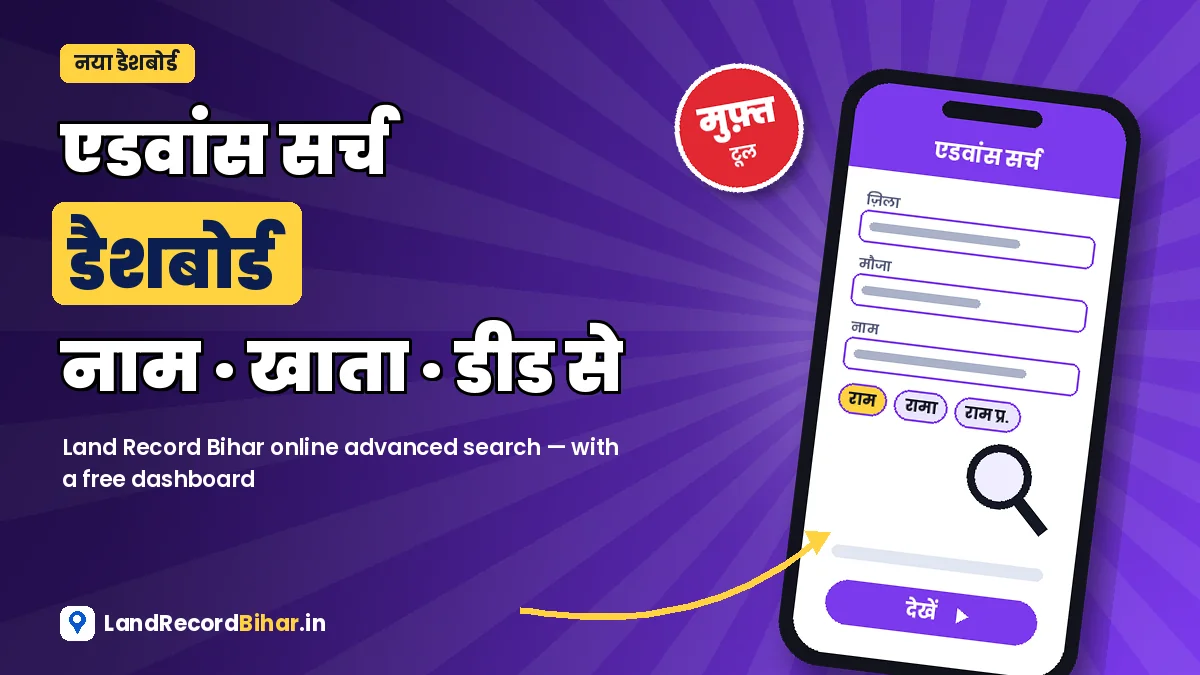
बिहार में ज़मीन का रिकॉर्ड एक ही जगह नहीं मिलता — आज का मालिक जमाबंदी पंजी में, बिक्री का इतिहास रजिस्ट्री रिकॉर्ड में, पुराना अधिकार खतियान में, और प्लॉट नक्शे में। “एडवांस सर्च” का असली मतलब है सही जानकारी को सही पोर्टल पर सही क्रम में खोजना। नीचे दिया एडवांस सर्च डैशबोर्ड यही काम करता है: आप बताइए क्या खोजना है और आपके पास क्या जानकारी है — यह सही आधिकारिक पोर्टल, भरने का क्रम और नाम की हिंदी स्पेलिंग तुरंत बता देगा।
Land records in Bihar don’t sit in one place — today’s owner is in the jamabandi register, the sale history in registry records, the original rights in the khatiyan, and the plot on the map. A real “advanced search” means searching the right detail on the right portal in the right order. The Advanced Search Dashboard below does exactly that: tell it what you want to find and what you already know, and it gives you the right official portal, the order to fill it in, and the Hindi spelling of the name.
लैंड रिकॉर्ड बिहार — एडवांस सर्च डैशबोर्डLand Record Bihar — Advanced Search Dashboard
बताइए क्या खोजना है और आपके पास कौन-सी जानकारी है — डैशबोर्ड सही आधिकारिक पोर्टल, भरने का क्रम और नाम की सही हिंदी स्पेलिंग बता देगा।Tell us what you want to find and what you already know — the dashboard picks the right official portal, the exact order to fill it, and Hindi spellings of the name.
आपकी हाल की खोजें (केवल इस डिवाइस पर)Your recent searches (this device only)
आपकी भरी जानकारी कहीं नहीं भेजी जाती — सब कुछ आपके ब्राउज़र में ही बनता है। रिकॉर्ड हमेशा आधिकारिक .gov.in पोर्टल पर ही देखें।Nothing you type is sent anywhere — the plan is built in your browser. Always view records on the official .gov.in portals.
बिहार में “एडवांस सर्च” कहाँ-कहाँ है?
ऑनलाइन “Advance Search” शब्द दो जगह मिलता है, और दोनों अलग रिकॉर्ड खोजते हैं:
- भूमि जानकारी पोर्टल का “Advance Search”: यह रजिस्ट्री (केवाला/डीड) का रिकॉर्ड खोजता है — किसने, कब, किसे ज़मीन बेची। यहीं “Searching by Party Name”, “Searching by Serial No.”, MVR और वेब कॉपी जैसी सेवाएँ भी हैं।
- जमाबंदी पंजी के खोज विकल्प: बिहार भूमि पर जमाबंदी भाग वर्तमान/पृष्ठ, रैयत के नाम, खाता, खेसरा या जमाबंदी संख्या से खोजी जा सकती है। यह आज का मालिक बताती है।
इनके अलावा पुराने खतियान के लिए भू-अभिलेख, प्लॉट के लिए भू-नक्शा, लोन के लिए ऋणभार खोज और म्यूटेशन के लिए दाखिल-खारिज स्थिति पेज है। डैशबोर्ड इन छहों को एक जगह जोड़ता है।
कौन-सी खोज, कौन-सा पोर्टल
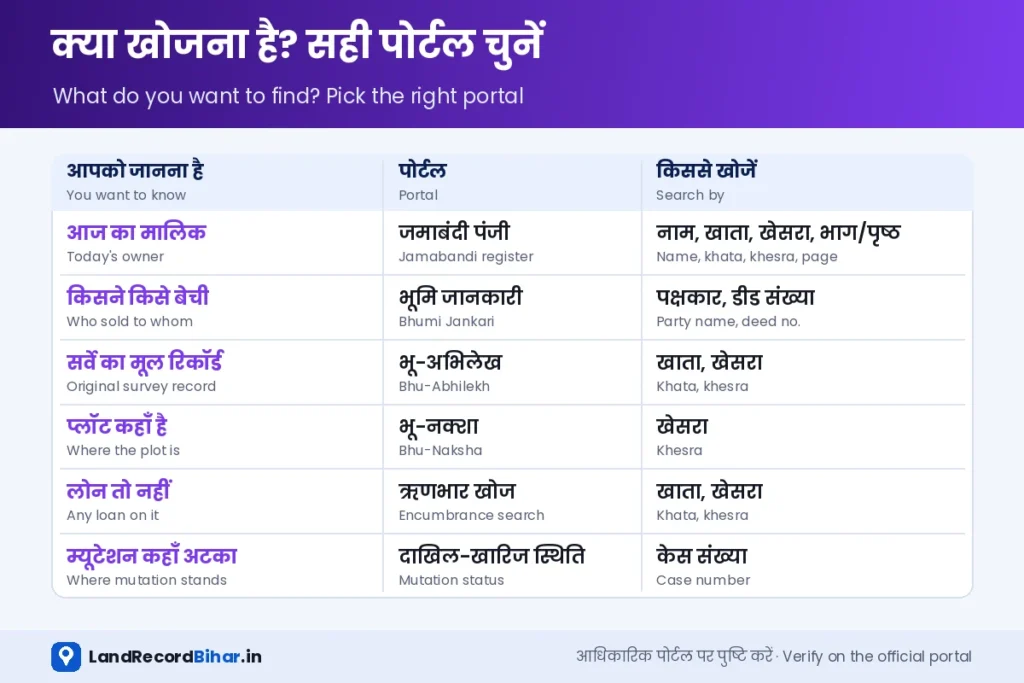
| आपको जानना है | पोर्टल | किससे खोजें |
|---|---|---|
| ज़मीन आज किसके नाम है | जमाबंदी पंजी | नाम, खाता, खेसरा, जमाबंदी, भाग/पृष्ठ |
| किसने किसे बेची, कब | भूमि जानकारी | पक्षकार का नाम, डीड संख्या, मौजा-खाता-खेसरा |
| सर्वे का मूल रिकॉर्ड | भू-अभिलेख | खाता, खेसरा |
| प्लॉट नक्शे में कहाँ है | भू-नक्शा | खेसरा |
| ज़मीन पर लोन तो नहीं | ऋणभार खोज | खाता, खेसरा |
| म्यूटेशन कहाँ अटका | दाखिल-खारिज स्थिति | केस संख्या |
डैशबोर्ड कैसे इस्तेमाल करें
- क्या खोजना है चुनें: मालिक, रजिस्ट्री, खतियान, नक्शा, म्यूटेशन या लोन।
- ज़िला चुनें और अंचल-मौजा लिखें (जितना पता हो)।
- “किससे खोजें” चुनें और नाम या नंबर भरें। नाम अंग्रेज़ी में भी लिख सकते हैं — डैशबोर्ड उसकी संभावित हिंदी स्पेलिंग दिखाएगा।
- “सर्च प्लान बनाएँ” दबाएँ: सही पोर्टल का बटन, भरने का क्रम, न मिलने पर उपाय और आगे की गाइड एक साथ मिलेंगी।
- कॉपी, सेव या WhatsApp: प्लान को कॉपी करें, इसी फ़ोन पर सेव करें या परिवार को भेजें।
डैशबोर्ड आपके ब्राउज़र में ही काम करता है — भरा हुआ नाम या नंबर कहीं नहीं भेजा जाता। रिकॉर्ड हमेशा आधिकारिक .gov.in पोर्टल पर ही खुलता है।
भूमि जानकारी पर रजिस्ट्री की एडवांस सर्च
- पोर्टल खोलें और सेवाओं में “Advance Search” चुनें।
- अवधि चुनें: ऑनलाइन रजिस्ट्रेशन (2016 से), पोस्ट-कम्प्यूटराइजेशन (2006–2015), या उससे पहले की।
- विवरण भरें: निबंधन कार्यालय, अंचल, मौजा, रजिस्ट्री की तारीख, पक्षकार और पिता/पति का नाम, रकबा, खाता और प्लॉट (खेसरा) संख्या — जितना पता हो।
- नतीजा मिलाएँ: डीड संख्या, तारीख, पक्षकार, रकबा और मूल्य।
सिर्फ़ नाम पता हो तो “Searching by Party Name”, और डीड नंबर पता हो तो “Searching by Serial No.” ज़्यादा तेज़ है। डीड की प्रमाणित प्रति के लिए ई-निबंधन पोर्टल पर आवेदन करें।
रजिस्ट्री रिकॉर्ड बताता है कि सौदा हुआ था। उसके बाद दाखिल-खारिज हुआ या नहीं, और आज ज़मीन किसके नाम है — यह जमाबंदी से ही पता चलता है। दोनों ज़रूर मिलाएँ।
नाम से खोज: सही हिंदी स्पेलिंग क्यों ज़रूरी है
जमाबंदी में नाम हिंदी में दर्ज है, और पोर्टल लगभग हूबहू मिलान करता है। ये बदलाव सबसे आम हैं — डैशबोर्ड इन्हीं के आधार पर विकल्प बनाता है:
| फ़र्क़ | उदाहरण |
|---|---|
| छोटी/बड़ी इ (ि / ी) | सुनिता — सुनीता |
| छोटा/बड़ा उ (ु / ू) | राजु — राजू |
| श / स | शंकर — संकर |
| अनुस्वार / आधा न | सुंदर — सुन्दर |
| व / ब | विजय — बिजय |
| अंत में ा | मिश्र — मिश्रा |
पूरा नाम न मिले तो केवल पहला नाम लिखें। फिर भी न मिले तो लगान रसीद या केवाला से खाता-खेसरा लेकर खोजें — यह ज़्यादा पक्का है। नाम से खाता-खेसरा निकालने के और तरीके इस गाइड में हैं।
सर्च करते समय 5 सावधानियाँ
- सही मौजा: एक नाम के कई गाँव हो सकते हैं — थाना संख्या से पहचानें।
- बँटे हुए अंचल: कुछ अंचल नए अंचलों में बँटे हैं (जैसे पटना सदर चार अंचलों में) — नई सूची देखें।
- पूर्वजों के नाम: पुश्तैनी ज़मीन अक्सर दादा-परदादा के नाम दर्ज होती है।
- एजेंट से बचें: कोई निजी वेबसाइट या व्यक्ति “सीधे रिकॉर्ड” देने का दावा करे तो सावधान रहें — रिकॉर्ड केवल .gov.in पोर्टल पर देखें।
- स्क्रीनशॉट प्रमाण नहीं: कानूनी काम के लिए डिजिटल हस्ताक्षरित प्रति लें।
अक्सर पूछे जाने वाले प्रश्न
क्या यह डैशबोर्ड खुद रिकॉर्ड दिखाता है?
नहीं। यह सरकारी डेटा कॉपी नहीं करता — यह बताता है कि किस आधिकारिक पोर्टल पर, किस क्रम में क्या भरना है, और बटन से वही पोर्टल खोल देता है।
क्या एडवांस सर्च मुफ़्त है?
हाँ। जमाबंदी, रजिस्ट्री खोज, भू-नक्शा, ऋणभार और म्यूटेशन स्थिति देखना मुफ़्त है। केवल प्रमाणित प्रतियों पर शुल्क लगता है।
2010 की रजिस्ट्री किस अवधि में मिलेगी?
भूमि जानकारी पर “पोस्ट-कम्प्यूटराइजेशन (2006–2015)” अवधि चुनें।
नाम से सर्च में बहुत सारे नतीजे आएँ तो?
पिता/पति के नाम और रकबा से सही व्यक्ति पहचानें, या मौजा व खाता जोड़कर खोज छोटी करें।
निष्कर्ष: सही पोर्टल चुनना ही असली एडवांस सर्च है। ऊपर के डैशबोर्ड में अपनी जानकारी भरिए — आपको पोर्टल, क्रम और सही स्पेलिंग एक साथ मिल जाएँगे।
Where is “Advanced Search” in Bihar?
The phrase “Advance Search” appears in two places online, and they search different records:
- Bhumi Jankari’s “Advance Search”: searches registry (kewala/deed) records — who sold land to whom, and when. The same portal has “Searching by Party Name”, “Searching by Serial No.”, MVR and web copy services.
- Jamabandi register search options: on Bihar Bhumi a jamabandi can be found by Bhag-Vartaman/page, raiyat name, khata, khesra or jamabandi number. This shows today’s owner.
On top of these, there is Bhu-Abhilekh for old khatiyans, Bhu-Naksha for plots, the encumbrance search for loans, and the mutation status page. The dashboard brings all six together.
Which search, which portal
| You want to know | Portal | Search by |
|---|---|---|
| Who owns the land today | Jamabandi register | Name, khata, khesra, jamabandi, Bhag/page |
| Who sold to whom, when | Bhumi Jankari | Party name, deed number, mauza-khata-khesra |
| The original survey record | Bhu-Abhilekh | Khata, khesra |
| Where the plot is on the map | Bhu-Naksha | Khesra |
| Whether there is a loan | Encumbrance search | Khata, khesra |
| Where a mutation is stuck | Mutation status | Case number |
How to use the dashboard
- Pick what you want to find: owner, registry, khatiyan, map, mutation or loan.
- Choose the district and type the circle and mauza (as much as you know).
- Choose “Search by” and enter the name or number. You can type a name in English — the dashboard shows its likely Hindi spellings.
- Press “Build my search plan”: you get the right portal button, the order to fill it, fixes if nothing shows, and the next guides.
- Copy, save or WhatsApp: copy the plan, save it on this phone or send it to family.
The dashboard works inside your browser — the name or number you type is not sent anywhere. Records always open on the official .gov.in portals.
Registry advanced search on Bhumi Jankari
- Open the portal and choose “Advance Search” under services.
- Pick the period: online registration (2016 on), post-computerisation (2006–2015), or earlier.
- Fill the details: registration office, circle, mauza, date of registration, party and father’s/husband’s name, area, khata and plot (khesra) number — as much as you know.
- Match the result: deed number, date, parties, area and value.
If you only know a name, “Searching by Party Name” is quicker; if you know the deed number, use “Searching by Serial No.”. For a certified copy of the deed, apply on the e-Nibandhan portal.
A registry record shows that a sale took place. Whether a mutation followed, and whose name the land is in today, only the jamabandi tells you. Always check both.
Searching by name: why the Hindi spelling matters
Names in the jamabandi are recorded in Hindi, and the portal matches almost exactly. These are the most common differences — the dashboard builds its options from them:
| Difference | Example |
|---|---|
| Short/long i (ि / ी) | सुनिता — सुनीता |
| Short/long u (ु / ू) | राजु — राजू |
| श / स | शंकर — संकर |
| Anusvara / half n | सुंदर — सुन्दर |
| व / ब | विजय — बिजय |
| Final ा | मिश्र — मिश्रा |
If the full name gives nothing, type only the first name. Still nothing? Take the khata-khesra from a rent receipt or deed and search by number — it is more reliable. More ways to get khata-khesra from a name are in this guide.
5 things to watch while searching
- The right mauza: several villages can share a name — use the thana number.
- Split circles: some circles have been divided (Patna Sadar into four) — check the new list.
- Ancestors’ names: ancestral land is often recorded in a grandfather’s name.
- Avoid agents: be careful with any private website or person claiming to give you “direct records” — view records only on .gov.in portals.
- A screenshot is not proof: use a digitally signed copy for legal work.
FAQs
Does the dashboard show the records itself?
No. It does not copy government data — it tells you which official portal to use, what to fill in and in what order, and its button opens that portal.
Is the advanced search free?
Yes. Viewing the jamabandi, registry search, Bhu-Naksha, encumbrance and mutation status is free. Only certified copies cost money.
Which period has a 2010 deed?
On Bhumi Jankari, choose “Post-computerisation (2006–2015)”.
A name search returns too many results?
Identify the right person by father’s/husband’s name and area, or narrow the search with mauza and khata.
Bottom line: picking the right portal is the real advanced search. Fill in the dashboard above and you get the portal, the order and the right spelling together.