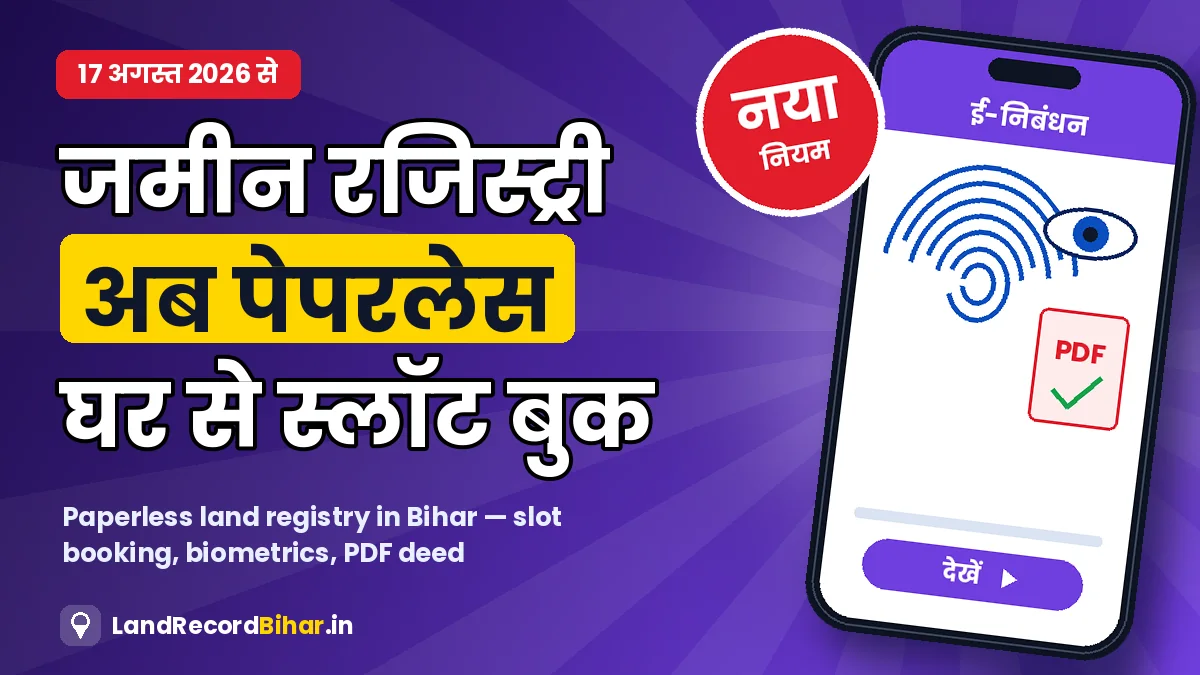
बिहार में जमीन-मकान की रजिस्ट्री का तरीका 2026 में पूरी तरह बदल गया है। 17 अगस्त 2026 से राज्य के निबंधन कार्यालय पेपरलेस व्यवस्था पर चल रहे हैं — अब डीड स्टांप पेपर पर नहीं छपती, दस्तावेज़ ऑनलाइन अपलोड होते हैं, घर बैठे स्लॉट बुक होता है, कार्यालय में खरीदार-विक्रेता की उंगलियों के निशान और आँखों (आइरिस) का स्कैन होता है और रजिस्ट्री के बाद डीड की PDF मोबाइल, WhatsApp या ईमेल पर मिलती है। इस गाइड में नई प्रक्रिया शुरू से अंत तक समझिए।
रजिस्ट्री से पहले: 3 ज़रूरी तैयारियाँ
- जमीन की जाँच: विक्रेता की जमाबंदी, खतियान, नक्शा, बंधक और न्यायालय वाद ऑनलाइन जाँचें — पूरी सूची हमारी 10 जाँच वाली गाइड में है।
- MVR और खर्च: MVR देखें और स्टांप ड्यूटी का हिसाब लगाएँ।
- दस्तावेज़ तैयार रखें: नीचे की सूची के अनुसार।
ज़रूरी दस्तावेज़
- खरीदार और विक्रेता का आधार कार्ड और साथ में एक अतिरिक्त पहचान पत्र (जैसे पैन, वोटर आईडी)।
- ₹10 लाख से अधिक के सौदे में पैन कार्ड (आयकर नियमों के अनुसार; पैन न हो तो फ़ॉर्म 60)।
- विक्रेता की जमाबंदी/पिछला केवाला, अद्यतन लगान रसीद।
- खाता, खेसरा, रकबा, चौहद्दी और भूमि का प्रकार।
- पासपोर्ट साइज़ फ़ोटो और कार्यालय द्वारा माँगे गए अन्य कागज़ (जैसे पहचानकर्ता/गवाह का विवरण)।
पेपरलेस रजिस्ट्री — चरण-दर-चरण
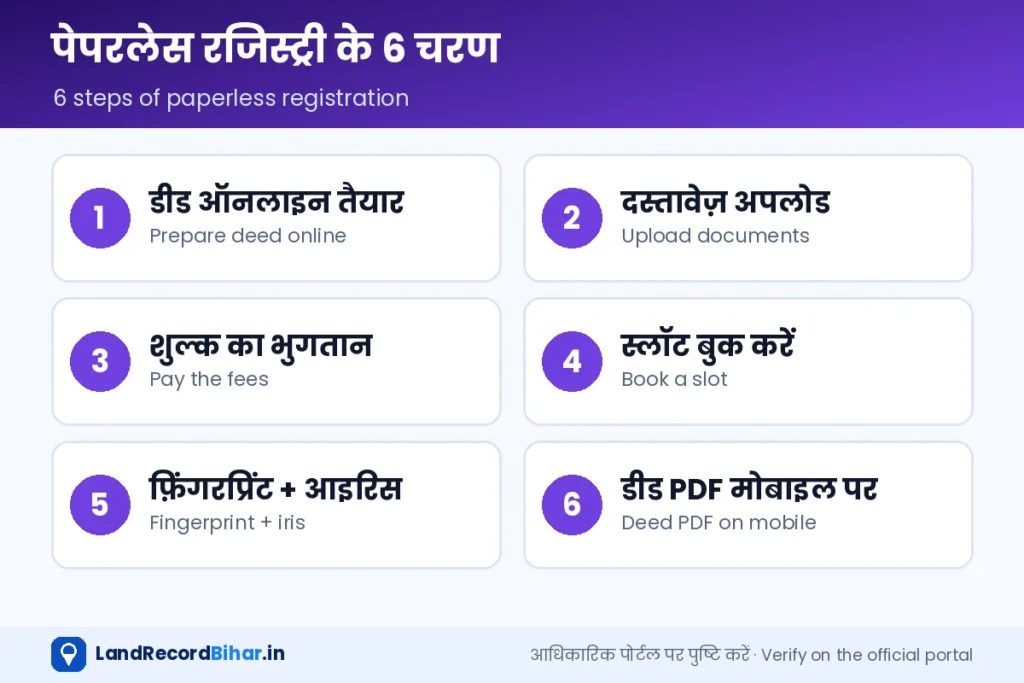
- डीड ऑनलाइन तैयार करें: दस्तावेज़ लेखक (कातिब), जो अब सेवा प्रदाता के रूप में काम करते हैं, या स्वयं ई-निबंधन पोर्टल पर विवरण भरें।
- दस्तावेज़ अपलोड करें: पहचान पत्र, जमीन के कागज़ और फ़ोटो कार्यालय जाने से पहले ही अपलोड हो जाते हैं।
- शुल्क का भुगतान: स्टांप ड्यूटी और निबंधन शुल्क ऑनलाइन/ई-चालान से जमा करें; रसीद सँभालें।
- स्लॉट बुक करें: दस्तावेज़ अपलोड होने के बाद घर बैठे रजिस्ट्री का समय (स्लॉट) चुनें — इससे कार्यालय में लंबा इंतज़ार नहीं करना पड़ता।
- तय समय पर कार्यालय जाएँ: खरीदार और विक्रेता दोनों निबंधन पदाधिकारी के सामने सहमति देते हैं।
- बायोमेट्रिक और ई-साइन: दोनों पक्षों के फ़िंगरप्रिंट और आइरिस स्कैन होते हैं; ज़रूरत हो तो ई-केवाईसी।
- डीड की PDF पाएँ: रजिस्ट्री पूरी होते ही डीड PDF के रूप में मोबाइल/WhatsApp/ईमेल पर भेजी जाती है।
“सबका सम्मान, जीवन आसान” पहल के तहत 75+ आयु के नागरिकों के लिए घर पर रजिस्ट्री की सुविधा शुरू हुई है। पहले यह पटना और हाजीपुर समेत 10 निबंधन कार्यालयों में शुरू हुई और चरणबद्ध तरीके से बढ़ाई जा रही है। ई-रजिस्ट्रेशन पोर्टल पर अपॉइंटमेंट बुक करने और उम्र की पुष्टि के बाद मोबाइल रजिस्ट्रेशन यूनिट घर आकर दस्तावेज़ सत्यापन, बायोमेट्रिक और रजिस्ट्री पूरी करती है। अपने ज़िले में उपलब्धता निबंधन कार्यालय से पूछें।
रजिस्ट्री के तुरंत बाद क्या करें
- दाखिल-खारिज: खरीदार के नाम जमाबंदी के लिए ऑनलाइन दाखिल-खारिज करें। रजिस्ट्री होने से सरकारी रिकॉर्ड अपने-आप नहीं बदलता।
- डीड की PDF सुरक्षित रखें: ईमेल और क्लाउड दोनों में कॉपी रखें।
- स्टेटस पर नज़र: दाखिल-खारिज स्टेटस देखते रहें।
नई व्यवस्था के फ़ायदे और ध्यान रखने वाली बातें
- फ़र्ज़ी व्यक्ति से रजिस्ट्री मुश्किल: आइरिस और फ़िंगरप्रिंट से पहचान पक्की होती है।
- कम इंतज़ार: स्लॉट बुकिंग से भीड़ कम।
- डिजिटल रिकॉर्ड: डीड खोने का डर कम।
- मदद लें: ग्रामीण, बुज़ुर्ग या कम डिजिटल जानकारी वाले लोग भरोसेमंद सेवा प्रदाता की मदद लें, लेकिन OTP और लॉगिन किसी को न दें।
अक्सर पूछे जाने वाले प्रश्न
क्या अब कार्यालय जाना ही नहीं पड़ेगा?
सामान्य रजिस्ट्री में खरीदार और विक्रेता दोनों को तय स्लॉट पर बायोमेट्रिक के लिए जाना होता है। केवल पात्र वरिष्ठ नागरिकों के लिए घर पर रजिस्ट्री की सुविधा है।
क्या स्टांप पेपर खरीदना होगा?
नई पेपरलेस व्यवस्था में डीड स्टांप पेपर पर नहीं बनती; शुल्क ऑनलाइन/ई-चालान से जमा होता है।
रजिस्ट्री के बाद दाखिल-खारिज अपने-आप होगा?
नहीं, खरीदार को दाखिल-खारिज का आवेदन करना या रजिस्ट्री के साथ उसका प्रपत्र भरना होता है। स्थिति ज़रूर जाँचें।
निष्कर्ष: पेपरलेस रजिस्ट्री ने प्रक्रिया तेज़ और सुरक्षित बनाई है। जमीन की जाँच पहले करें, दस्तावेज़ ऑनलाइन अपलोड करें, स्लॉट बुक करें — और रजिस्ट्री के तुरंत बाद दाखिल-खारिज कराना न भूलें।
Property registration in Bihar changed completely in 2026. From 17 August 2026, registry offices across the state run paperless: deeds are no longer printed on stamp paper, documents are uploaded online, a slot is booked from home, buyer and seller give fingerprints and an iris scan at the office, and the deed arrives as a PDF on mobile, WhatsApp or email. This guide walks through the new process end to end.
Before registry: three preparations
- Check the land: verify the seller’s jamabandi, khatiyan, map, mortgage status and court cases online — the full list is in our 10-check guide.
- MVR and cost: check MVR and work out stamp duty.
- Keep documents ready as listed below.
Documents needed
- Aadhaar of buyer and seller plus one additional ID (e.g. PAN, voter ID).
- PAN for deals above ₹10 lakh (income-tax rules; Form 60 if no PAN).
- Seller’s jamabandi/previous deed and an up-to-date rent receipt.
- Khata, khesra, area, boundaries and land type.
- Passport-size photos and anything else the office asks for (such as identifier/witness details).
Paperless registration — step by step
- Prepare the deed online: through a deed writer (katib), now working as a service provider, or by entering details on the e-Nibandhan portal yourself.
- Upload documents: IDs, land papers and photos are uploaded before you visit.
- Pay the fees: stamp duty and registration fee online/by e-challan; keep the receipt.
- Book a slot: once documents are uploaded, choose your registration time from home — no long queues.
- Visit at your slot: buyer and seller both confirm consent before the registering officer.
- Biometrics and e-sign: fingerprints and iris scans of both parties; e-KYC where required.
- Get the deed PDF: sent to mobile/WhatsApp/email as soon as registration is complete.
Under the “Sabka Samman, Jeevan Aasan” initiative, citizens aged 75 and above can register property at home. It began at 10 registry offices including Patna and Hajipur and is being extended in phases. After booking on the e-registration portal and age verification, a mobile registration unit visits to verify documents, take biometrics and complete the registration. Ask your registry office whether it is available in your district.
Right after registration
- Mutation: apply for online dakhil-kharij to get the jamabandi in the buyer’s name. Registration does not change the government record by itself.
- Keep the deed PDF safe: in email and cloud storage.
- Track it: watch the mutation status.
Benefits and things to watch
- Impersonation is harder: iris and fingerprint confirm identity.
- Less waiting: slot booking reduces crowds.
- Digital record: less risk of losing the deed.
- Get help safely: rural, elderly or less digital users can use a trusted service provider — but never share your OTP or login.
FAQs
Do I still need to visit the office?
For a normal registration, buyer and seller both attend their slot for biometrics. Only eligible senior citizens get registration at home.
Do I need stamp paper?
No — under the paperless system the deed isn’t made on stamp paper; fees are paid online/by e-challan.
Will mutation happen automatically after registry?
No. The buyer must apply for mutation or fill its form with the registry. Always check the status.
Bottom line: paperless registry is faster and safer. Verify the land first, upload documents online, book a slot — and apply for mutation right after registration.