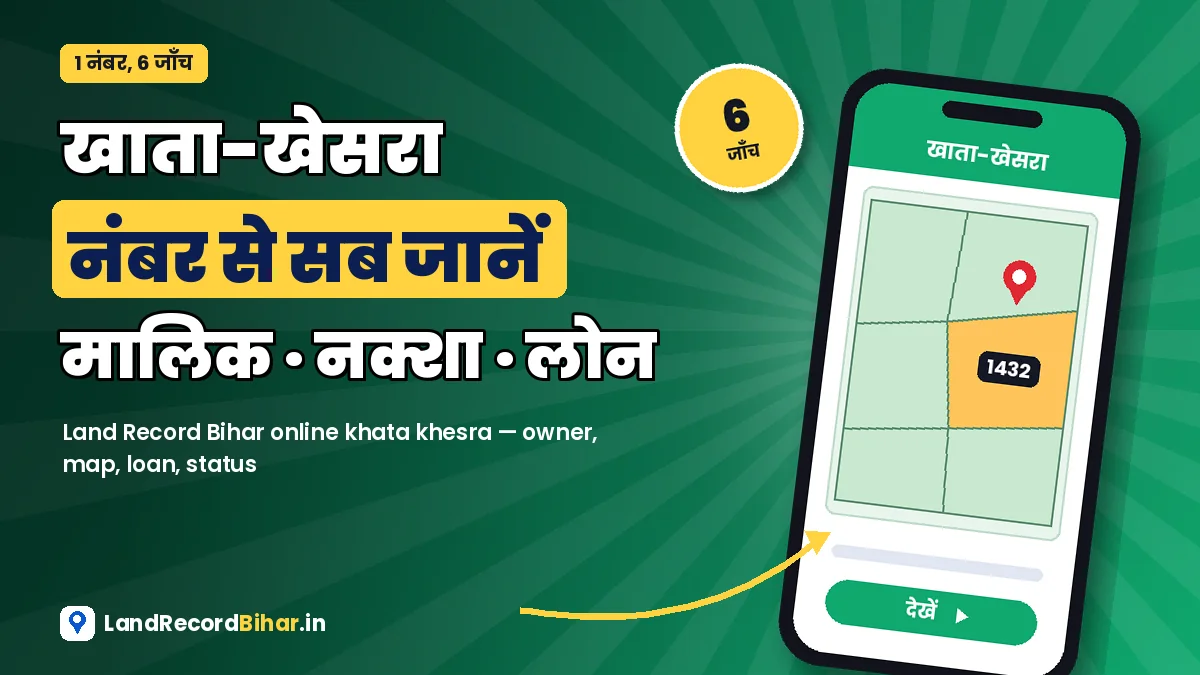
अगर आपके पास किसी ज़मीन का खाता और खेसरा नंबर है, तो आप घर बैठे उसकी लगभग पूरी कुंडली निकाल सकते हैं — आज मालिक कौन है, रकबा कितना है, नक्शे में प्लॉट कहाँ है, पुराने सर्वे में क्या दर्ज था, कोई रजिस्ट्री या लोन तो नहीं, और दाखिल-खारिज कहाँ अटका है। इस गाइड में बताया गया है कि एक खाता-खेसरा नंबर से 6 ऑनलाइन जाँच कैसे करें और नतीजों को सही कैसे पढ़ें।
खाता और खेसरा — असल में क्या हैं?
राजस्व विभाग की आधिकारिक शब्दावली के अनुसार:
- खाता: सर्वे के दौरान खतियान में दी गई खाता संख्या, जिसमें किसी व्यक्ति की सारी ज़मीन दर्ज होती है। यह बैंक खाता नंबर जैसा है।
- खेसरा: सर्वे में हर प्लॉट का क्रमांक, जो उस राजस्व गाँव (मौजा) के अंदर अनोखा होता है।
यानी एक खाते में कई खेसरा हो सकते हैं। ध्यान दें — बिहार के पोर्टल पर “खसरा” नहीं, “खेसरा” शब्द इस्तेमाल होता है। और खेसरा नंबर उसी मौजा में अनोखा है, इसलिए खोज में ज़िला-अंचल-मौजा सही होना ज़रूरी है।
अपना खाता-खेसरा नंबर कहाँ मिलेगा?
- लगान रसीद — खाता, खेसरा, जमाबंदी संख्या और भाग वर्तमान/पृष्ठ।
- केवाला (रजिस्ट्री डीड) — बेची गई ज़मीन का खाता-खेसरा और रकबा।
- खतियान — सर्वे के समय का खाता और हर खेसरा।
- एलपीसी या दाखिल-खारिज आदेश — दोनों में प्लॉट का विवरण होता है।
कोई कागज़ न हो तो मालिक के नाम से नंबर निकालें — तरीका हमारी गाइड नाम से खाता-खेसरा कैसे पता करें में है।
एक नंबर, 6 जाँच
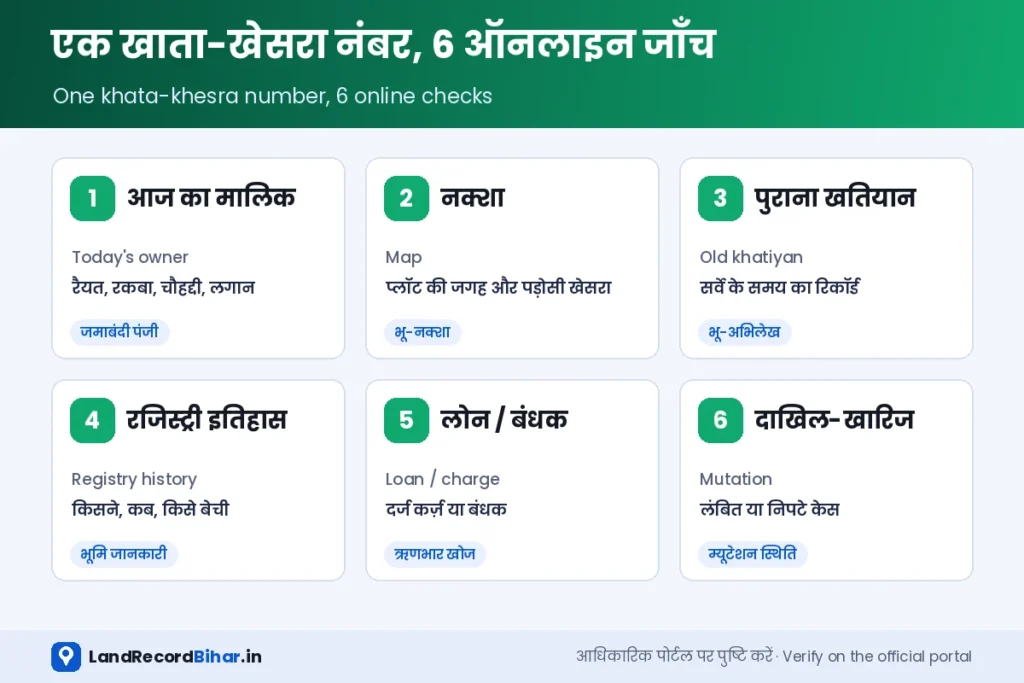
| जाँच | पोर्टल | क्या पता चलेगा |
|---|---|---|
| 1. आज का मालिक | जमाबंदी पंजी | रैयत, रकबा, चौहद्दी, लगान |
| 2. नक्शा | भू-नक्शा | प्लॉट की जगह, आकार, पड़ोसी खेसरा |
| 3. पुराना रिकॉर्ड | भू-अभिलेख | सर्वे खतियान (स्कैन) |
| 4. रजिस्ट्री इतिहास | भूमि जानकारी | किसने, कब, किसे बेची |
| 5. लोन / बंधक | ऋणभार खोज | दर्ज कर्ज़ या बंधक |
| 6. दाखिल-खारिज | म्यूटेशन स्थिति | लंबित/स्वीकृत/अस्वीकृत केस |
1. खाता-खेसरा से आज का मालिक देखें
- बिहार भूमि का “जमाबंदी पंजी देखें” पेज खोलें।
- ज़िला → अंचल → हल्का → मौजा चुनें।
- खोज का तरीका “खाता संख्या” या “खेसरा संख्या” चुनें और नंबर भरें।
- सूची में आए हर नाम के आगे “देखें” दबाकर रकबा और चौहद्दी मिलाएँ।
किसी प्लॉट का हिस्सा बिकने या बँटवारे के बाद वही खेसरा कई जमाबंदियों में आंशिक रकबे के साथ दिख सकता है। इसलिए हर नाम का रकबा जोड़कर देखें कि कुल रकबा प्लॉट के रकबे से मेल खाता है या नहीं।
2. खेसरा से नक्शा देखें
भू-नक्शा पोर्टल पर ज़िला, अंचल, मौजा और शीट चुनें, फिर खेसरा नंबर खोजें या नक्शे पर प्लॉट पर क्लिक करें। प्लॉट का आकार और पड़ोसी खेसरा दिखेंगे, जिनसे ज़मीन पर सीमा पहचानना आसान होता है। पूरी प्रक्रिया भू-नक्शा गाइड में है।
3. पुराना खतियान देखें
भू-अभिलेख पोर्टल पर मोबाइल OTP से लॉगिन करके खतियान का स्कैन देखें। ध्यान रखें — अलग-अलग सर्वे में एक ही ज़मीन का खाता-खेसरा नंबर बदल सकता है, इसलिए पुराने खतियान में चौहद्दी और रकबा से भी मिलान करें। आसान तरीके के लिए हमारा खतियान चेक डैशबोर्ड इस्तेमाल करें।
4. रजिस्ट्री इतिहास
भूमि जानकारी पोर्टल के “Advance Search” में मौजा और खाता-खेसरा डालकर देख सकते हैं कि उस प्लॉट की कौन-सी रजिस्ट्री ऑनलाइन दर्ज है। सही अवधि (2016 से ऑनलाइन, 2006–2015, या उससे पहले) चुनना न भूलें। हमारे एडवांस सर्च डैशबोर्ड में यह क्रम पहले से तैयार मिलता है।
5. लोन या बंधक की जाँच
ऋणभार (Encumbrance) खोज पेज पर ज़िला, अंचल, मौजा और खाता/खेसरा डालकर दर्ज बंधक देखें। पूरी जाँच की सूची जमीन पर लोन कैसे चेक करें में है।
6. दाखिल-खारिज की स्थिति
अगर इस खेसरा पर कोई म्यूटेशन चल रहा है, तो केस संख्या से उसकी स्थिति देखें — दाखिल-खारिज स्थिति गाइड। गाँव की आम सूचना में भी आपके खेसरा पर दाखिल आवेदन दिख जाते हैं।
रकबा कैसे पढ़ें — डिसमिल से कट्ठा
ऑनलाइन रिकॉर्ड में रकबा अक्सर एकड़ और डिसमिल में होता है। 1 एकड़ = 100 डिसमिल, और 1 डिसमिल = 435.6 वर्ग फुट। सरकारी/पटना मानक में 1 कट्ठा = 1361.25 वर्ग फुट, यानी 1 कट्ठा = 3.125 डिसमिल।
उदाहरण: रकबा 0.25 एकड़ = 25 डिसमिल = 25 ÷ 3.125 = 8 कट्ठा। कई ज़िलों में कट्ठे का स्थानीय माप अलग होता है, इसलिए हमारे माप कन्वर्टर में अपने इलाके का मान डालकर हिसाब करें।
4 आम गलतियाँ
- खाता और जमाबंदी संख्या को एक मानना: दोनों अलग हैं — खोज में सही विकल्प चुनें।
- गलत मौजा: एक नाम के दो गाँव हो सकते हैं; थाना संख्या से सही मौजा पहचानें।
- नए सर्वे के नंबर: विशेष सर्वे वाले मौजों में नए खेसरा नंबर आ सकते हैं; हल्का कर्मचारी से पुराने-नए नंबर का मिलान पूछें।
- सिर्फ़ एक पोर्टल पर भरोसा: जमीन खरीदनी हो तो छहों जाँच करें — पूरी सूची खरीद से पहले जाँच में।
अक्सर पूछे जाने वाले प्रश्न
क्या केवल खेसरा नंबर से मालिक पता चल सकता है?
हाँ, अगर ज़िला, अंचल, हल्का और मौजा सही चुने हों। जमाबंदी पंजी में “खेसरा संख्या” से खोजें।
खाता-खेसरा ऑनलाइन देखने का शुल्क?
ऊपर की सभी जाँच मुफ़्त हैं। शुल्क केवल प्रमाणित (डिजिटल हस्ताक्षरित) प्रति, ई-मापी जैसी सेवाओं पर लगता है।
ऑनलाइन रकबा और केवाला का रकबा अलग है तो?
पहले इकाई मिलाएँ (डिसमिल/कट्ठा)। फिर भी अंतर हो तो परिमार्जन प्लस पर सुधार का आवेदन करें।
निष्कर्ष: खाता-खेसरा नंबर आपकी ज़मीन की चाबी है। इससे जमाबंदी, नक्शा, खतियान, रजिस्ट्री, लोन और म्यूटेशन — छहों जाँच मुफ़्त में ऑनलाइन हो जाती हैं।
If you have the khata and khesra numbers of a piece of land, you can pull out nearly its whole history from home — who owns it today, its area, where the plot sits on the map, what the old survey recorded, whether there is a registered sale or a loan, and where a mutation is stuck. This guide shows how to run 6 online checks from one khata-khesra number and how to read the results correctly.
What exactly are khata and khesra?
According to the Revenue Department’s official glossary:
- Khata: the account number assigned in the khatiyan during the survey, under which all of a person’s land is recorded. It works like a bank account number.
- Khesra: the serial number of each plot in the survey, unique within that revenue village (mauza).
So one khata can hold many khesras. Note that Bihar’s portals use “khesra”, not “khasra”. And because a khesra number is unique only within its mauza, getting the district, circle and mauza right is essential.
Where do you find your khata-khesra numbers?
- Rent receipt — khata, khesra, jamabandi number and Bhag-Vartaman/page.
- Kewala (sale deed) — khata-khesra and area of the land sold.
- Khatiyan — the khata and every khesra at survey time.
- LPC or mutation order — both carry the plot details.
No papers? Get the numbers from the owner’s name — see our guide how to find khata-khesra by name.
One number, 6 checks
| Check | Portal | What you learn |
|---|---|---|
| 1. Today’s owner | Jamabandi register | Raiyat, area, boundaries, rent |
| 2. Map | Bhu-Naksha | Plot location, shape, neighbouring khesras |
| 3. Old record | Bhu-Abhilekh | Survey khatiyan (scanned) |
| 4. Registry history | Bhumi Jankari | Who sold to whom, when |
| 5. Loan / charge | Encumbrance search | Any recorded loan or mortgage |
| 6. Mutation | Mutation status | Pending/approved/rejected cases |
1. Today’s owner from khata-khesra
- Open Bihar Bhumi’s “View Jamabandi Register” page.
- Choose district → circle → halka → mauza.
- Pick “Khata number” or “Khesra number” as the search method and enter the number.
- Press “View” next to each name in the list and match the area and boundaries.
After part of a plot is sold or partitioned, the same khesra can appear in several jamabandis, each with part of the area. Add up the areas shown under each name and check that the total matches the plot.
2. The map from the khesra
On Bhu-Naksha, choose district, circle, mauza and sheet, then search the khesra or click the plot on the map. You’ll see the plot’s shape and neighbouring khesras, which makes it easy to identify the boundaries on the ground. Full process in our Bhu-Naksha guide.
3. The old khatiyan
Log in to Bhu-Abhilekh with mobile OTP to view the scanned khatiyan. Remember that the khata-khesra numbers of the same land can change between surveys, so also match boundaries and area in the old khatiyan. Our khatiyan check dashboard makes this easy.
4. Registry history
In Bhumi Jankari’s “Advance Search”, enter the mauza and khata-khesra to see which registered deeds for that plot are online. Don’t forget to pick the right period (online from 2016, 2006–2015, or earlier). Our advanced search dashboard lays out this order for you.
5. Loan or charge check
On the encumbrance search page, enter district, circle, mauza and khata/khesra to see any recorded charge. The full checklist is in how to check a loan on land.
6. Mutation status
If a mutation is running on this khesra, check its status with the case number — see our mutation status guide. The village’s public notice also lists applications filed on your khesra.
Reading the area — decimal to katha
Online records usually give area in acres and decimals. 1 acre = 100 decimal, and 1 decimal = 435.6 sq ft. On the government/Patna standard, 1 katha = 1361.25 sq ft, so 1 katha = 3.125 decimal.
Example: an area of 0.25 acre = 25 decimal = 25 ÷ 3.125 = 8 katha. Many districts use a different local katha, so enter your area’s value in our unit converter.
4 common mistakes
- Treating khata and jamabandi number as the same: they are different — pick the right option.
- Wrong mauza: two villages can share a name; use the thana number to pick the right one.
- New survey numbers: mauzas under the special survey may have new khesra numbers; ask the halka karmachari for the old-new match.
- Relying on one portal: before buying land, run all six checks — full list in checks before buying.
FAQs
Can I find the owner from just the khesra number?
Yes, if the district, circle, halka and mauza are right. Search by “Khesra number” in the jamabandi register.
Is there a fee?
All the checks above are free. Fees apply only to certified (digitally signed) copies and services such as e-Mapi.
The online area differs from the deed?
First match the units (decimal/katha). If it still differs, apply for correction on Parimarjan Plus.
Bottom line: the khata-khesra number is the key to your land. With it, all six checks — jamabandi, map, khatiyan, registry, loan and mutation — can be done online for free.